
Listen to this article
Checking audio support
In the previous article, we learned how JavaScript objects help us keep guest details together. A guest was no longer just a name. It became a proper detail card with city, RSVP status, food preference, and other useful information.
Now imagine the wedding desk is full of those guest cards. The data is ready. But data alone does not do the work. Someone still has to prepare messages, check RSVP status, count food plates, print labels, and confirm guest details.
If we write the same instructions again and again, the code slowly becomes that one wedding notebook where every page has the same sentence copied in different handwriting. Thoda messy, thoda tiring.
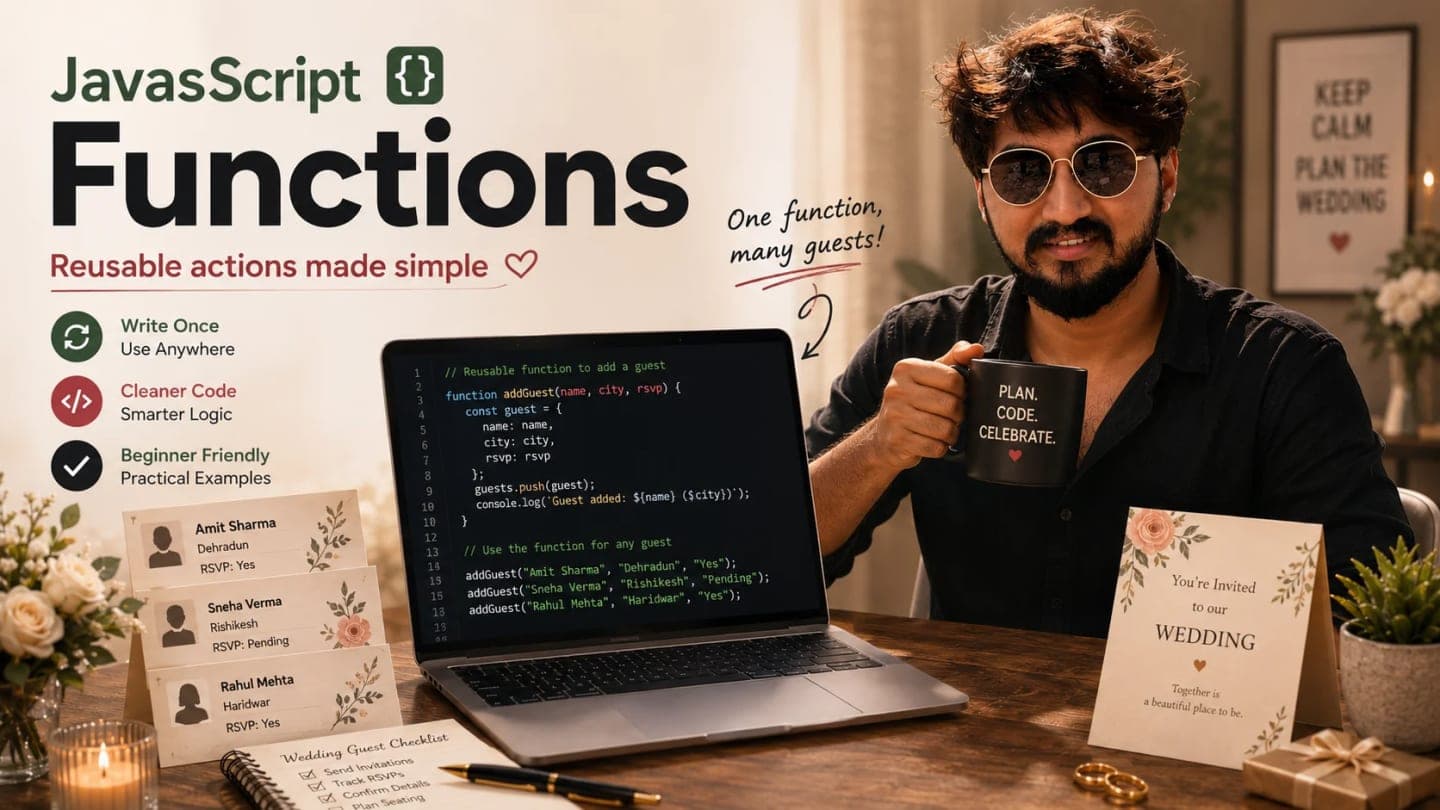
This is where JavaScript functions enter the story. Variables store values. Arrays store lists. Objects store detail cards. Functions perform reusable actions.
What Is a Function in JavaScript?
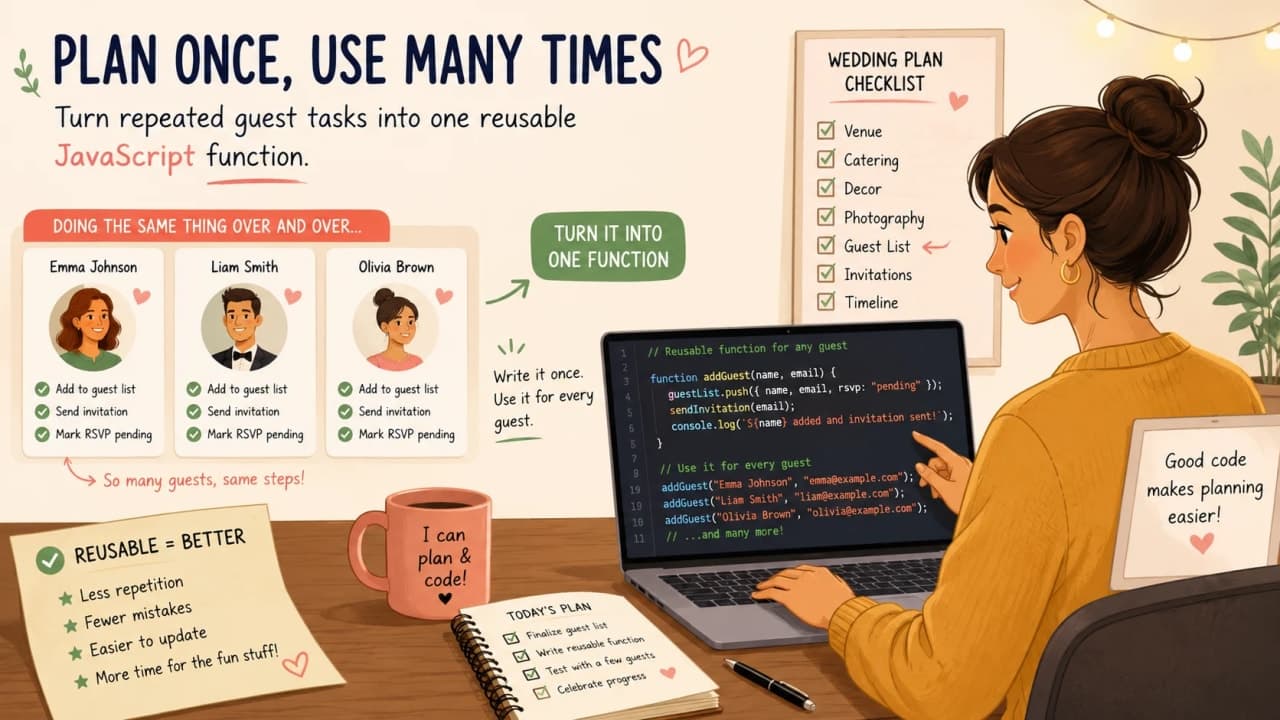
A function is a reusable block of code that performs a task. Instead of explaining the same task again and again, we give the task a name and call it whenever we need it.
Think of a wedding helper. Once you teach the helper how to prepare a welcome message, you do not repeat every tiny step each time. You simply say, prepare the welcome message, and the helper knows what to do.
function sayHello() {
  console.log("Hello");
}

sayHello();
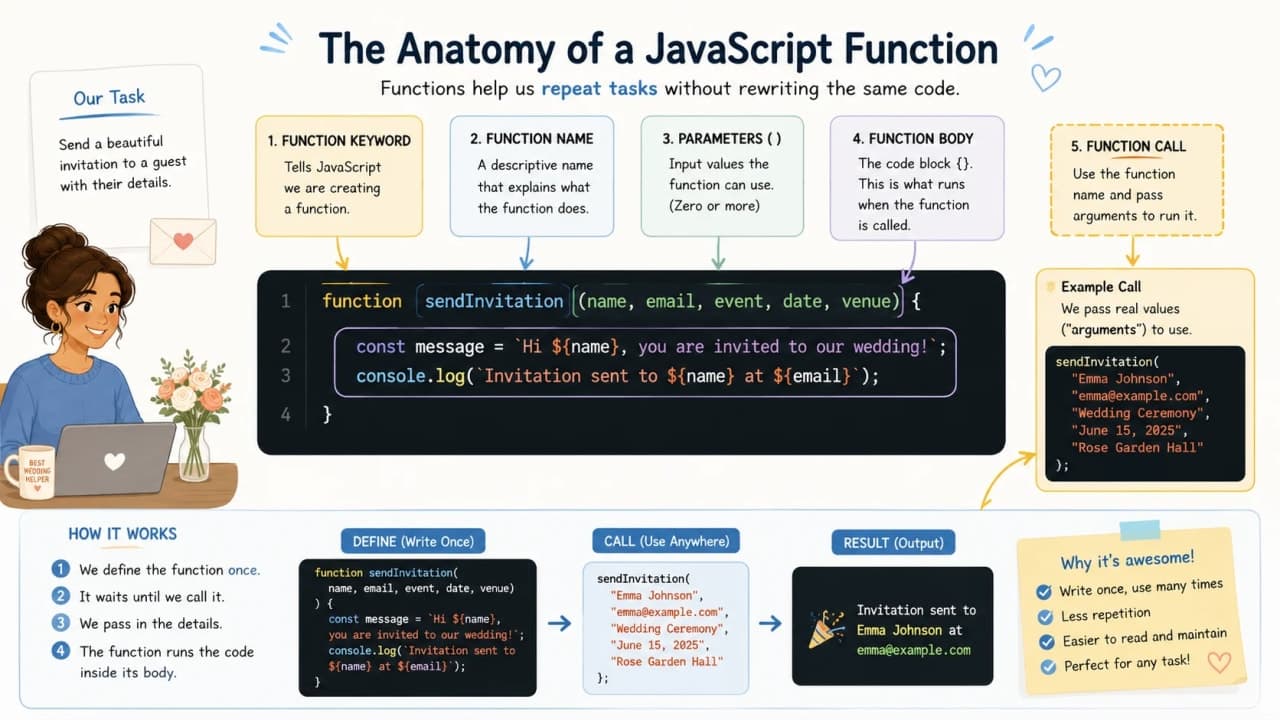
The function keyword creates the function. sayHello is the function name. The code inside curly braces is the task. And sayHello() runs the function.
Important note: A function does not run just because you create it. It runs when you call it.
Why Do We Need Functions?
Let us start with the problem. Suppose we are preparing invitations for three guests.
console.log("Preparing invitation for Siddhant");
console.log("Preparing invitation for Amit");
console.log("Preparing invitation for Riya");
This is fine for three guests. But what if there are 100 guests? What if the message changes from Preparing invitation to Printing invitation label? Now we must edit the same idea in many places.
A function keeps the repeated task in one place.
function prepareInvitation(name) {
  console.log("Preparing invitation for " + name);
}

prepareInvitation("Siddhant");
prepareInvitation("Amit");
prepareInvitation("Riya");
Now the action lives in one function. Each call gives the function a different name, and the function does the same task cleanly.
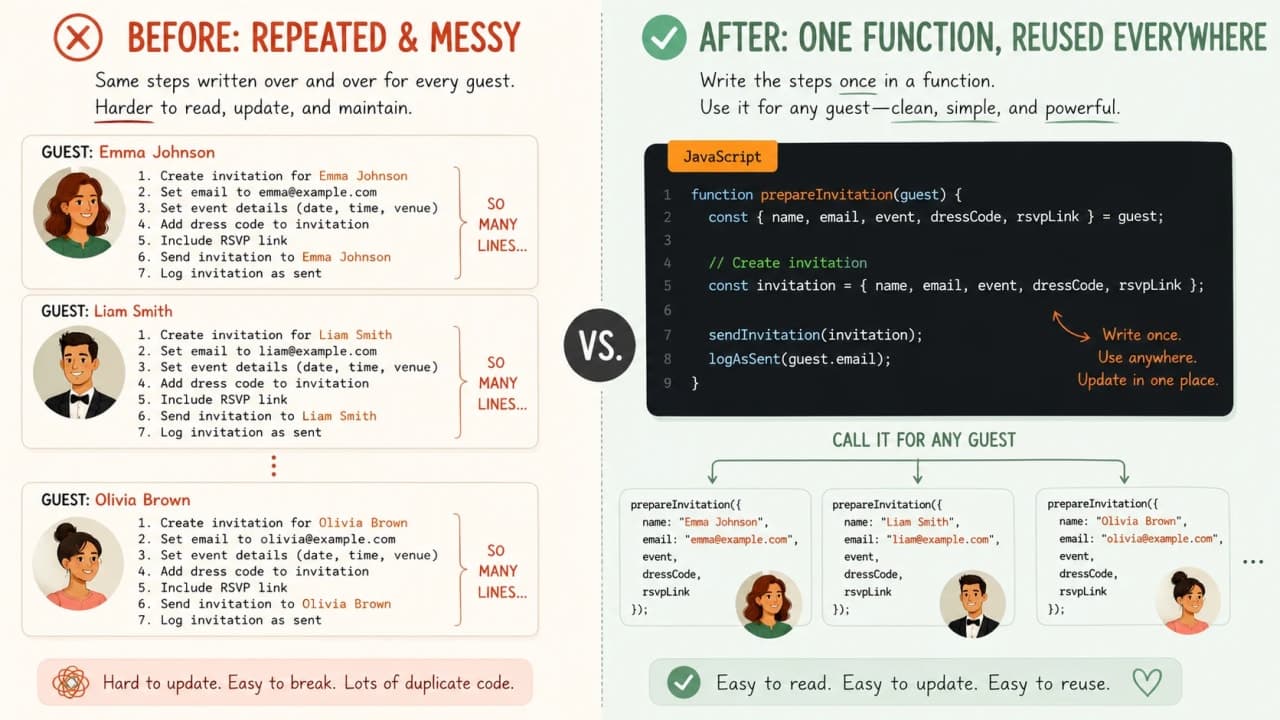
Quick takeaway: If you are repeating the same logic again and again, a function may be the cleaner way to write it.
Understanding the Parts of a Function
A basic function has a few small parts. Once you see them, the syntax becomes less intimidating.
function greetGuest() {
  console.log("Welcome to the wedding!");
}

greetGuest();
The function keyword starts the function.
The name greetGuest tells us what task this function performs.
The parentheses () are where input values can go later.
The curly braces {} hold the task body.
The call greetGuest() runs the function.
Function Names Should Sound Like Actions
Functions usually do something, so their names should sound like actions. A good function name works like a tiny instruction.
Names like greetGuest, calculateTotalPlates, printInvitation, and checkRsvpStatus tell the next reader what is happening.
function data() {
  console.log("Welcome Siddhant");
}function greetGuest() {
console.log("Welcome Siddhant");
}Both snippets can run, but the second one is easier to understand. Good names reduce future confusion, especially when the code grows.
Parameters: Giving Information to a Function
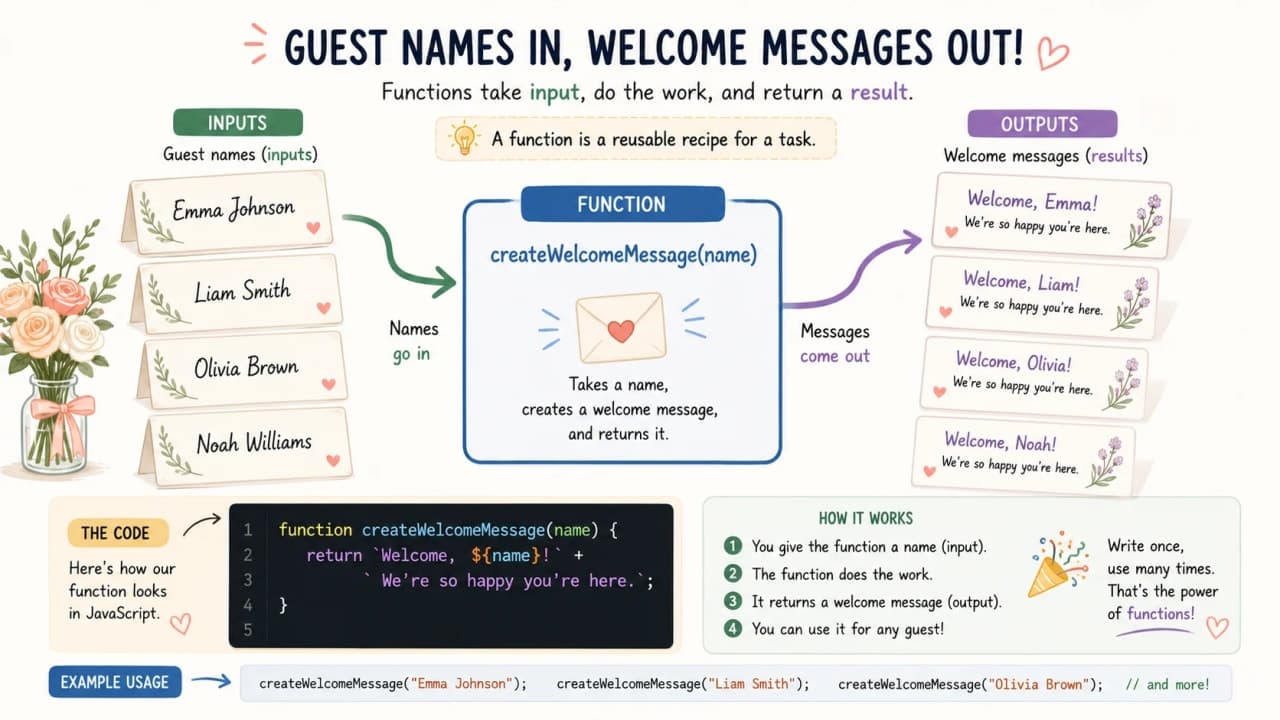
A function becomes more useful when we can give it information. If you tell the wedding helper, prepare invitation, the helper may ask: for whom?
That changing piece of information is where parameters come in.
function greetGuest(name) {
console.log("Welcome, " + name);
}
greetGuest("Siddhant");
greetGuest("Amit");Here, name is the parameter. It behaves like an empty spot that receives a value when the function is called. "Siddhant" and "Amit" are values we pass into that spot.
Arguments vs Parameters in Simple Words
This is one of those terms that sounds more serious than it actually is. The parameter is the name written when creating the function. The argument is the real value passed when calling it.
function greetGuest(name) {
console.log("Welcome, " + name);
}
greetGuest("Riya");In this example, name is the parameter. "Riya" is the argument.
Beginner tip: Do not stress too much about the words parameter and argument in the beginning. Just remember that functions can receive values.
Multiple Parameters
Sometimes one piece of information is not enough. A guest welcome message may need both name and city.
function introduceGuest(name, city) {
console.log(name + " is coming from " + city);
}
introduceGuest("Siddhant", "Dehradun");The first argument goes into the first parameter. The second argument goes into the second parameter. Order matters.
How is it so far?
Vote with other readers
function introduceGuest(name, city) {
console.log(name + " is coming from " + city);
}
introduceGuest("Dehradun", "Siddhant");function introduceGuest(name, city) {
console.log(name + " is coming from " + city);
}
introduceGuest("Siddhant", "Dehradun");In the wrong version, JavaScript does not know our intention. It simply places the first value into name and the second value into city.
Return Values: When a Function Gives Something Back
Some functions do not just show something. They calculate or prepare something and give the answer back.
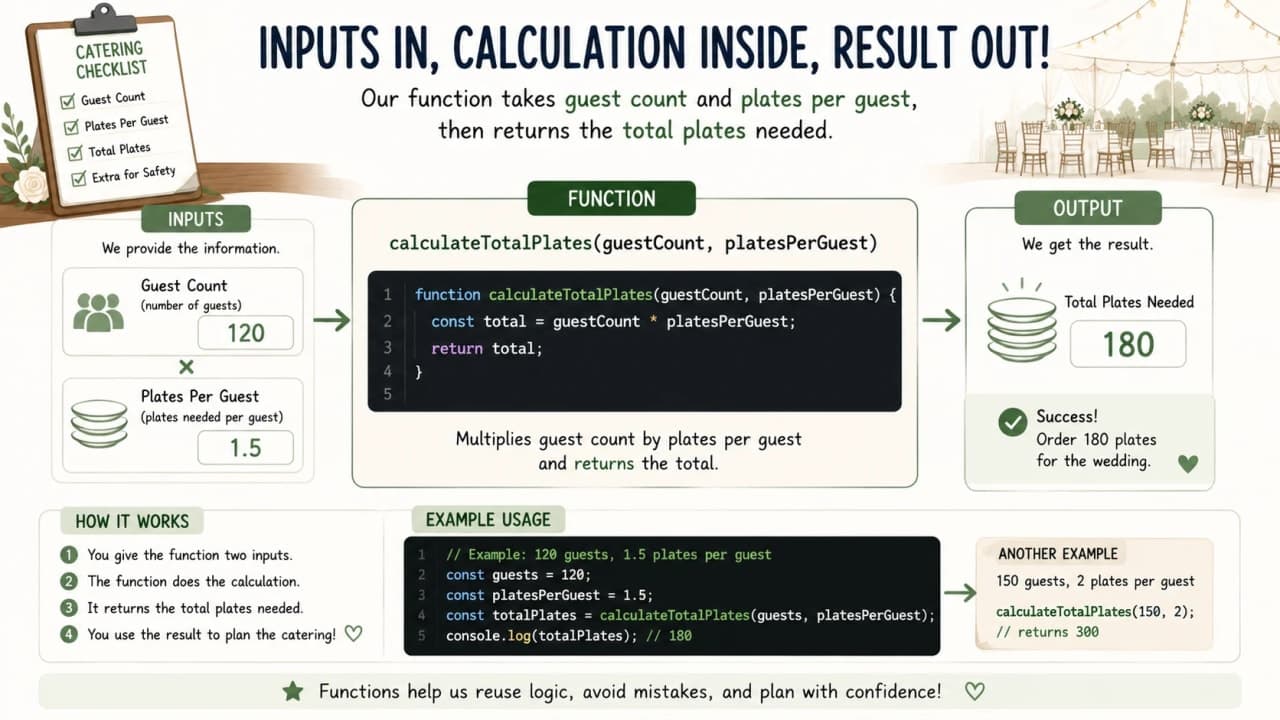
Imagine asking the wedding helper: how many food plates do we need? The helper should not only shout the answer across the room. The helper should give you the number so you can write it in the catering sheet.
function calculatePlates(guests, platesPerGuest) {
return guests * platesPerGuest;
}
const totalPlates = calculatePlates(50, 2);
console.log(totalPlates);The function receives guest count and plates per guest. The return line sends the answer back. Then totalPlates stores that answer.
console.log vs return
This is a major beginner confusion point, so let us slow down. console.log is like putting something on a notice board. return is like handing the answer back so the rest of the code can use it.
function addNumbers(a, b) {
console.log(a + b);
}
const result = addNumbers(5, 3);
console.log(result);This prints 8 inside the function, but result becomes undefined because the function did not return anything.
function addNumbers(a, b) {
return a + b;
}
const result = addNumbers(5, 3);
console.log(result);Now the function gives the answer back, so result stores 8.
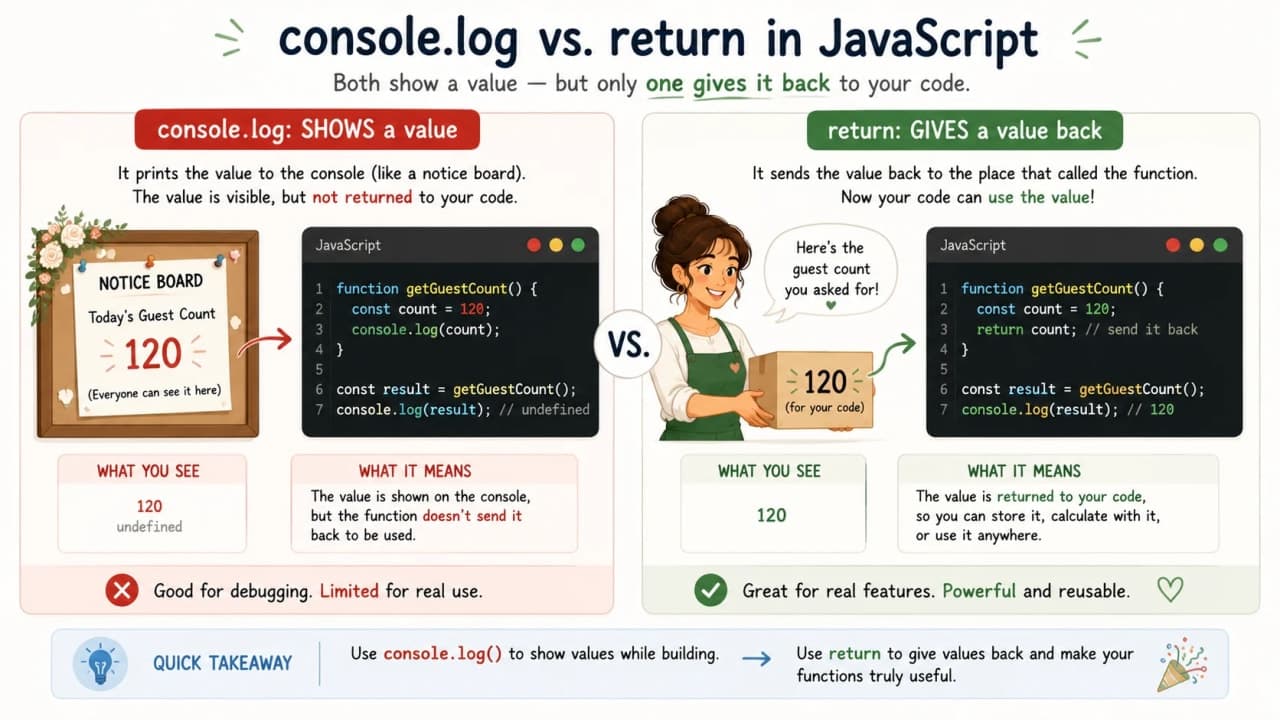
Important note: Use console.log when you want to see something. Use return when you want the function to give something back.
Functions Can Work with Objects
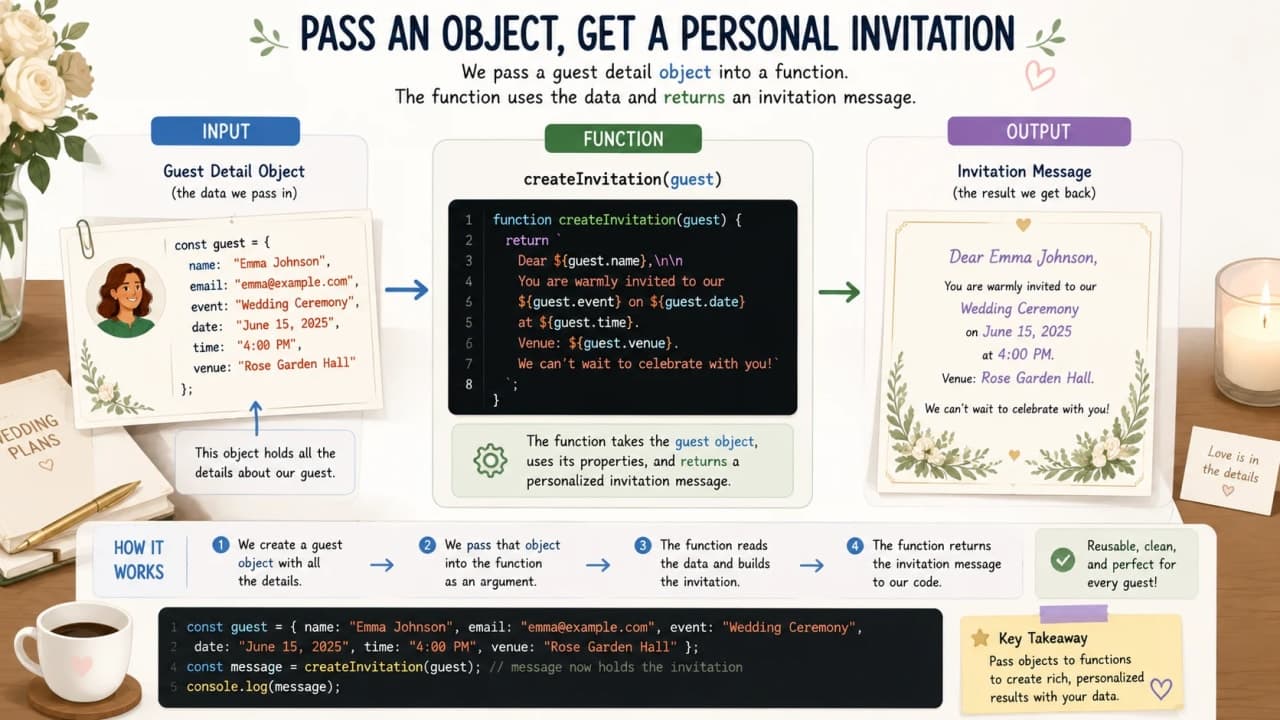
Now let us connect this to the previous article. In the Objects lesson, we created guest detail cards. A function can receive the whole guest card and use the details inside it.
const guest = {
name: "Siddhant",
city: "Dehradun",
rsvp: "confirmed"
};
function createGuestMessage(guest) {
return guest.name + " from " + guest.city + " has RSVP status: " + guest.rsvp;
}
const message = createGuestMessage(guest);
console.log(message);The object stores the details. The function receives the object. Then it uses guest.name, guest.city, and guest.rsvp to create one message.
Function Scope Explained Simply
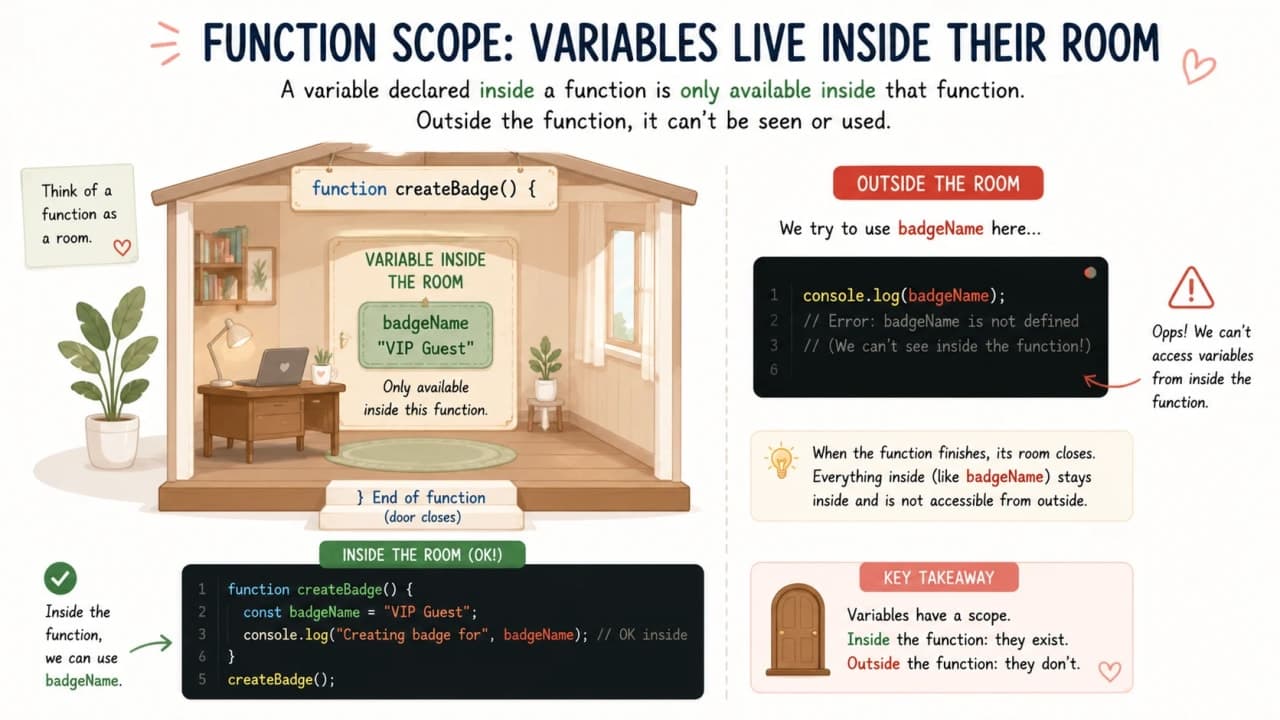
A function is like a small room. Variables created inside that room usually stay inside that room. They do not automatically walk outside.
function prepareGuestBadge() {
const badgeName = "Siddhant";
console.log(badgeName);
}
prepareGuestBadge();Here, badgeName works inside the function because it was created inside the function.
function prepareGuestBadge() {
const badgeName = "Siddhant";
}
console.log(badgeName);This causes an error because badgeName was created inside the function and we are trying to use it outside.
Default Parameters
Sometimes a value is missing, but we still want the function to behave sensibly. If a guest's food preference is missing, maybe we mark it as regular by default.
function printFoodPreference(name, food = "regular") {
console.log(name + " prefers " + food + " food");
}
printFoodPreference("Siddhant", "vegetarian");
printFoodPreference("Amit");Siddhant gets vegetarian because we passed that value. Amit gets regular because no food value was passed, so the default value was used.
Function Expression and Arrow Function
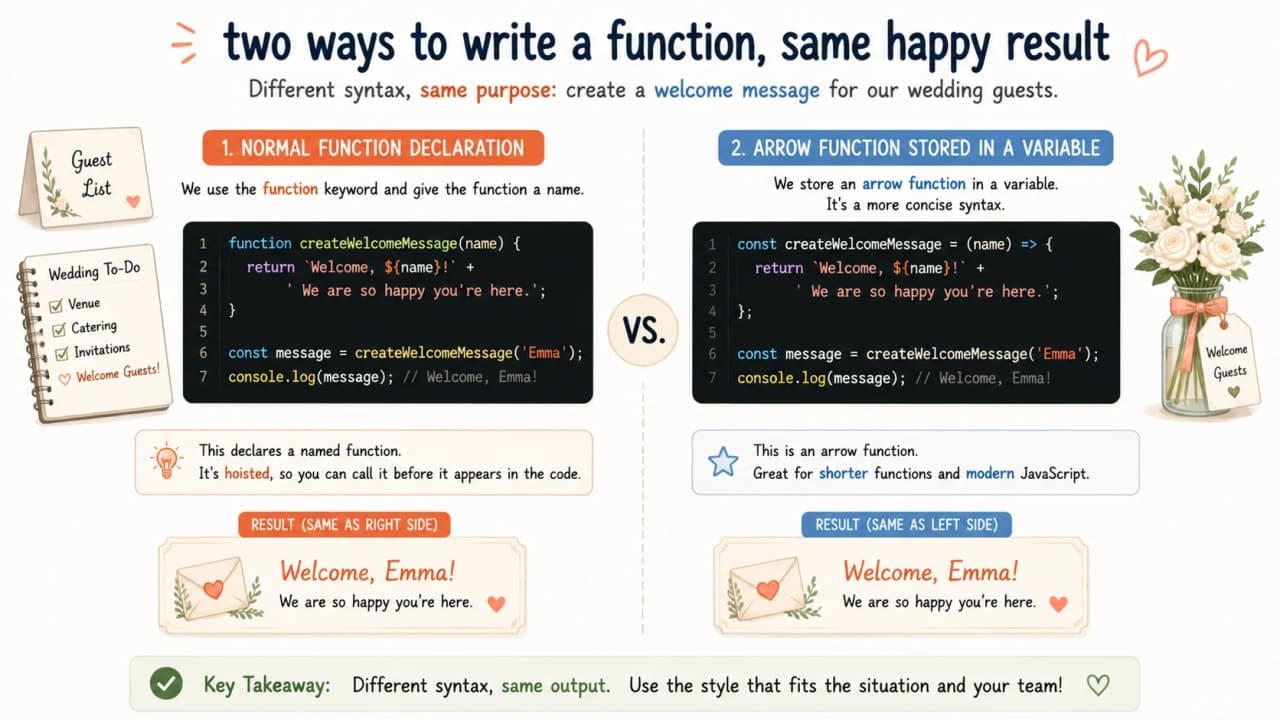
So far, we created functions using function declarations. JavaScript also allows storing a function in a variable. This is called a function expression.
const greetGuest = function(name) {
console.log("Welcome, " + name);
};
greetGuest("Siddhant");Modern JavaScript also has arrow functions, which are a shorter style.
const greetGuest = (name) => {
console.log("Welcome, " + name);
};
greetGuest("Siddhant");Arrow functions are common, but beginners should first understand what a function does. Shorter syntax is useful only when the main idea is already clear.
Common Beginner Mistakes with Functions
Forgetting to call the function
This only creates the function. Nothing runs yet.
function greetGuest() {
  console.log("Welcome Siddhant");
}The function runs only after calling it with parentheses.
function greetGuest() {
  console.log("Welcome Siddhant");
}
greetGuest();Using unclear names
function x(a, b) {
  return a + b;
}function calculateTotalPlates(guestCount, platesPerGuest) {
return guestCount * platesPerGuest;
}The second function explains its purpose through names. Future-you will appreciate this. Future-you is already busy enough.
Trying to use function variables outside
This connects back to scope. If a value is created inside a function, do not assume it is available outside.
Common mistake: A function should usually do one clear job. If one function is doing too many unrelated things, it becomes harder to understand later.
How to Think About Functions Like a Developer
Before writing a function, pause and ask a few questions. This small habit makes your code cleaner.
What task am I repeating?
What should I name this task?
What information does this task need?
Should this function only show something, or should it return a value?
Can I understand this function name after one month?
Let us build one final example from the wedding desk. The task is to create an invitation message. The function needs one guest object. The function should return the message.
const guest = {
  name: "Siddhant",
  city: "Dehradun",
  rsvp: "confirmed",
  food: "vegetarian"
};

function createInvitationMessage(guest) {
  return (
    "Hello " +
    guest.name +
    ", we are excited to welcome you from " +
    guest.city +
    ". Your RSVP status is " +
    guest.rsvp +
    " and your food preference is " +
    guest.food +
    "."
  );
}

const invitationMessage = createInvitationMessage(guest);

console.log(invitationMessage);
The object stores guest details. The function creates the message. The return gives the message back. The variable stores it. Finally, console.log shows it.
Story checkpoint: Variables store values, objects store details, and functions perform actions using those details.
Quick Recap
Quick takeaway: A function is a reusable block of code. It must be called to run, can receive values through parameters, can return values, and should usually do one clear job.
A function is a reusable block of code.
A function must be called to run.
Parameters receive values.
Arguments are the actual values passed.
return gives a value back.
console.log only displays a value.
Variables inside functions usually stay inside functions.
Function names should clearly describe actions.
Final Thoughts
Functions may feel like a new layer at first, but they are one of the biggest steps in learning JavaScript. Until now, we were mostly storing values. With functions, we start creating reusable actions.
Open the browser console. Write a small function. Call it. Pass a name. Return a value. Break it. Fix it. That is how functions start becoming clear.
After functions, the next powerful topic is JavaScript array methods, because array methods use functions to work with lists more cleanly.
Lock in the takeaway
JavaScript Dev Diaries
Frequently asked questions
What is a function in JavaScript?
A function is a reusable block of code that performs a task when you call it.
Why do we use functions in JavaScript?
We use functions to avoid repeating the same logic again and again, and to keep code easier to read and change.
What is the difference between parameter and argument?
A parameter is the name written in the function definition. An argument is the real value passed when the function is called.
What is the difference between console.log and return?
console.log only displays a value. return gives a value back so the rest of the code can use it.
What is an arrow function?
An arrow function is a shorter way to write a function, usually after you already understand the basic function idea.
Can a function receive an object?
Yes. A function can receive an object and use its properties, like reading a guest name, city, or RSVP status from one guest card.