

Listen to this article
Checking audio support
In the last article, we used a wedding guest list to understand JavaScript arrays. Arrays helped us keep many guest names together in one clean list. That was already a big improvement over creating one variable for every guest.
But then real wedding planning enters the room, and real planning rarely stops at names. A guest name is useful, but it is only one tiny part of the story. For one person, we may also need a phone number, city, RSVP status, number of people coming, food preference, and maybe even whether they need a room.
At that moment, a plain list starts feeling too thin. We do not just want many values. We want many related details about one thing. That is where JavaScript objects enter the story.
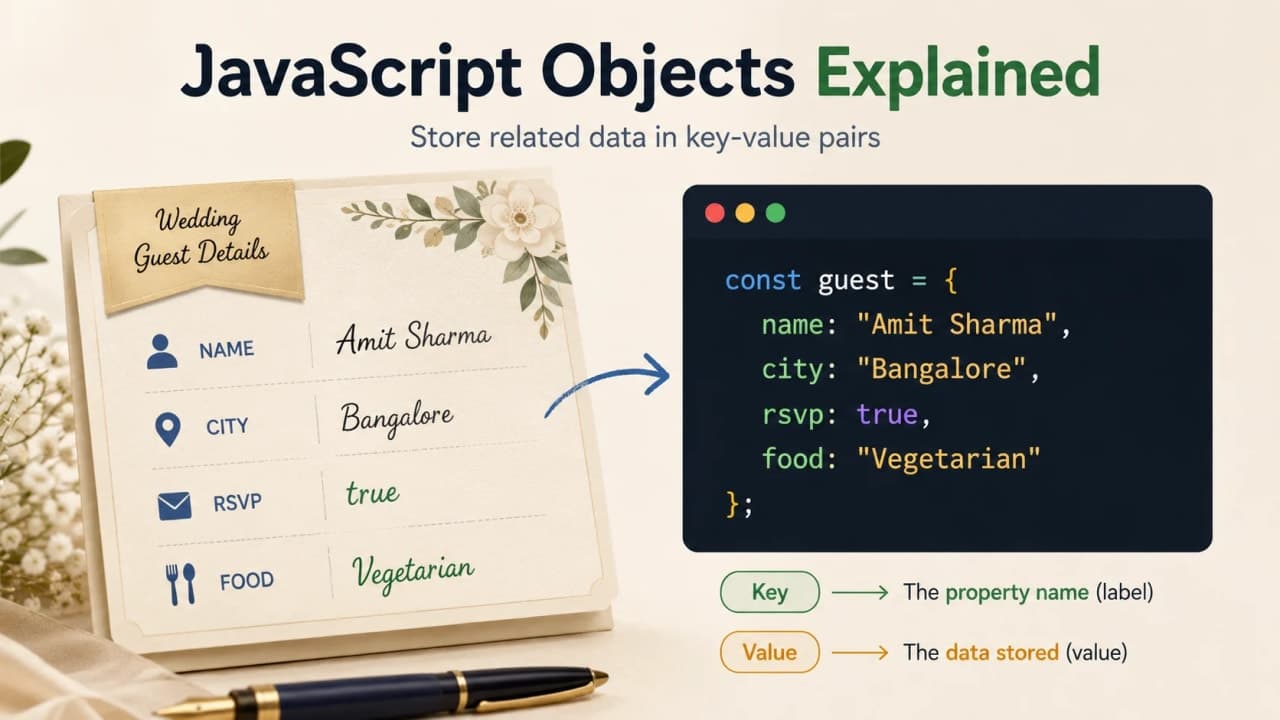
What Is an Object in JavaScript?
In simple words, an object is a way to keep related information together. If an array is like a guest list, an object is like one full guest detail card.
Imagine one card on the wedding desk. On that card, we write the guest name, city, and RSVP status. Everything belongs to the same guest, so it feels natural to keep it together.
const guest = {
  name: "Siddhant",
  city: "Dehradun",
  rsvp: "confirmed"
};
Here, guest is the object name. name, city, and rsvp are properties. The values are "Siddhant", "Dehradun", and "confirmed".
Important note: An object keeps related details together under one name.
Why Do We Need Objects?
Let us first look at the slightly messy version. Suppose we store guest details like this:
const guestName = "Siddhant";
const guestCity = "Dehradun";
const guestRsvp = "confirmed";
const guestFood = "vegetarian";
For one guest, this still looks manageable. But what happens when there are 100 guests? What if every guest has 8 or 10 details? Suddenly the code becomes a table full of loose papers.
Objects solve this by putting the details in one clean place:
const guest = {
  name: "Siddhant",
  city: "Dehradun",
  rsvp: "confirmed",
  food: "vegetarian"
};
Now the details clearly belong to one guest. The code is easier to read, easier to move around, and easier to update later.

Understanding Key and Value in Objects
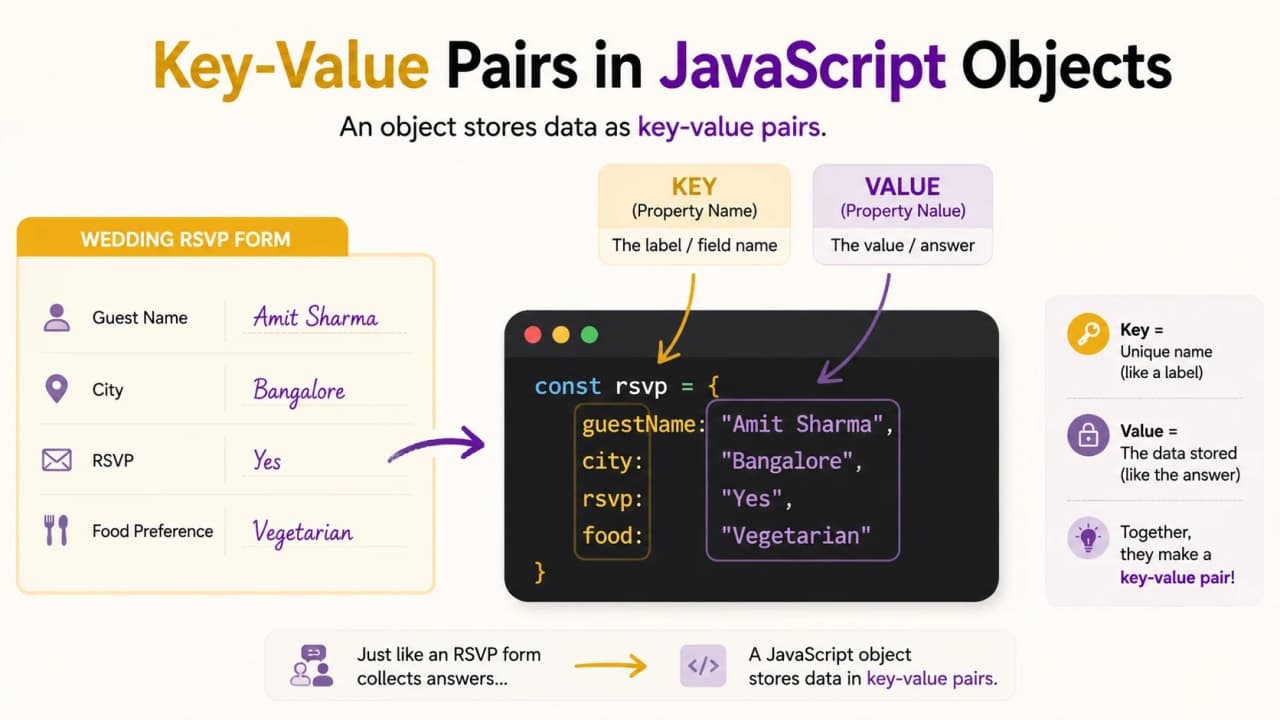
Objects are built with key-value pairs. That sounds technical, but the idea is very simple.
Think of a wedding RSVP form. The label says Name, and the answer is Siddhant. The label says City, and the answer is Dehradun.
const guest = {
  name: "Siddhant",
  city: "Dehradun",
  rsvp: "confirmed"
};
In this object, name is the key and "Siddhant" is the value. city is the key and "Dehradun" is the value. JavaScript uses the key to find the value.
Reading Values from an Object
Creating an object is only the first step. Most of the time, we create objects because we want to read their values later.
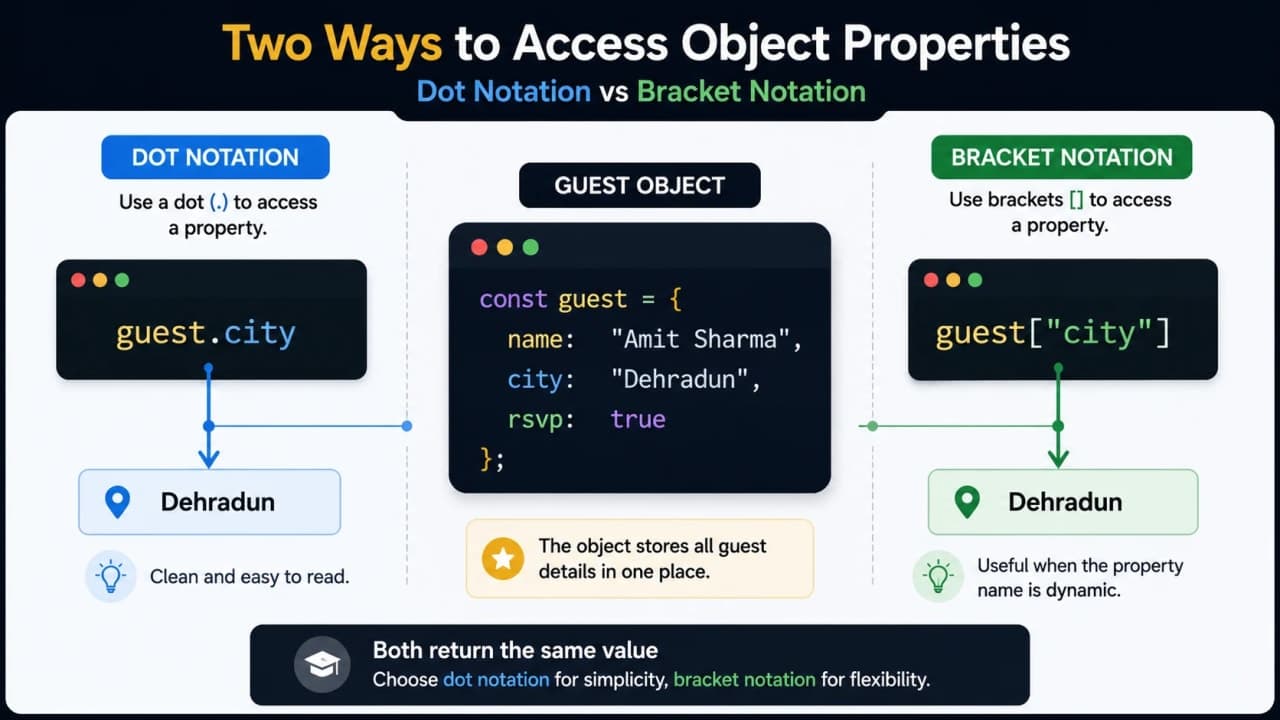
Using Dot Notation
Dot notation is the most common way beginners read object values. It feels almost like a sentence.
const guest = {
  name: "Siddhant",
  city: "Dehradun",
  rsvp: "confirmed"
};

console.log(guest.name);
console.log(guest.city);
You can read guest.name as: from the guest object, give me the name. You can read guest.city as: from the guest object, give me the city.
Using Bracket Notation
Bracket notation does the same job, but it becomes useful when the property name is stored in another variable.
console.log(guest["name"]);
console.log(guest["city"]);
Now let us say the detail we want to read is stored in a variable:
const detail = "rsvp";

console.log(guest[detail]);
Here, JavaScript first checks the value inside detail. Since the value is "rsvp", it reads guest["rsvp"].
Beginner tip: Use dot notation when the property name is simple and already known. Use bracket notation when the property name is dynamic or stored in another variable.
Adding New Details to an Object
Sometimes we create the guest card first and receive more details later. Maybe the city is known today, but RSVP and food preference arrive tomorrow.
const guest = {
  name: "Siddhant",
  city: "Dehradun"
};

guest.rsvp = "confirmed";
guest.food = "vegetarian";

console.log(guest);
We created the object with two details, then added two more details using dot notation. This is normal in JavaScript.
Important note: You can add new properties to an object after creating it.
Updating Existing Object Values
Wedding plans change. A guest may first say pending and later confirm. In code, that means we update an existing value.
const guest = {
  name: "Siddhant",
  rsvp: "pending"
};

guest.rsvp = "confirmed";

console.log(guest.rsvp);
We did not create a completely new guest. We changed one value inside the existing guest object.
Common mistake: Beginners sometimes think const means object values can never change. const stops reassignment of the variable, but object properties can still be updated.
So this is allowed:
const guest = {
  name: "Siddhant",
  rsvp: "pending"
};

guest.rsvp = "confirmed";
But this is not allowed because we are trying to replace the whole object stored in a const variable:
How is it so far?
Vote with other readers
const guest = {
  name: "Siddhant"
};

guest = {
  name: "Amit"
}; // This will cause an error
Deleting a Property from an Object
Sometimes a detail is temporary. Maybe a note was only needed while planning, and now it should be removed from the card.
const guest = {
  name: "Siddhant",
  city: "Dehradun",
  temporaryNote: "Call again later"
};

delete guest.temporaryNote;

console.log(guest);
The delete keyword removes that property from the object. In real projects, developers do not use delete for every small change, but as a beginner, it is useful to know what it does.
Objects Can Store Different Types of Values
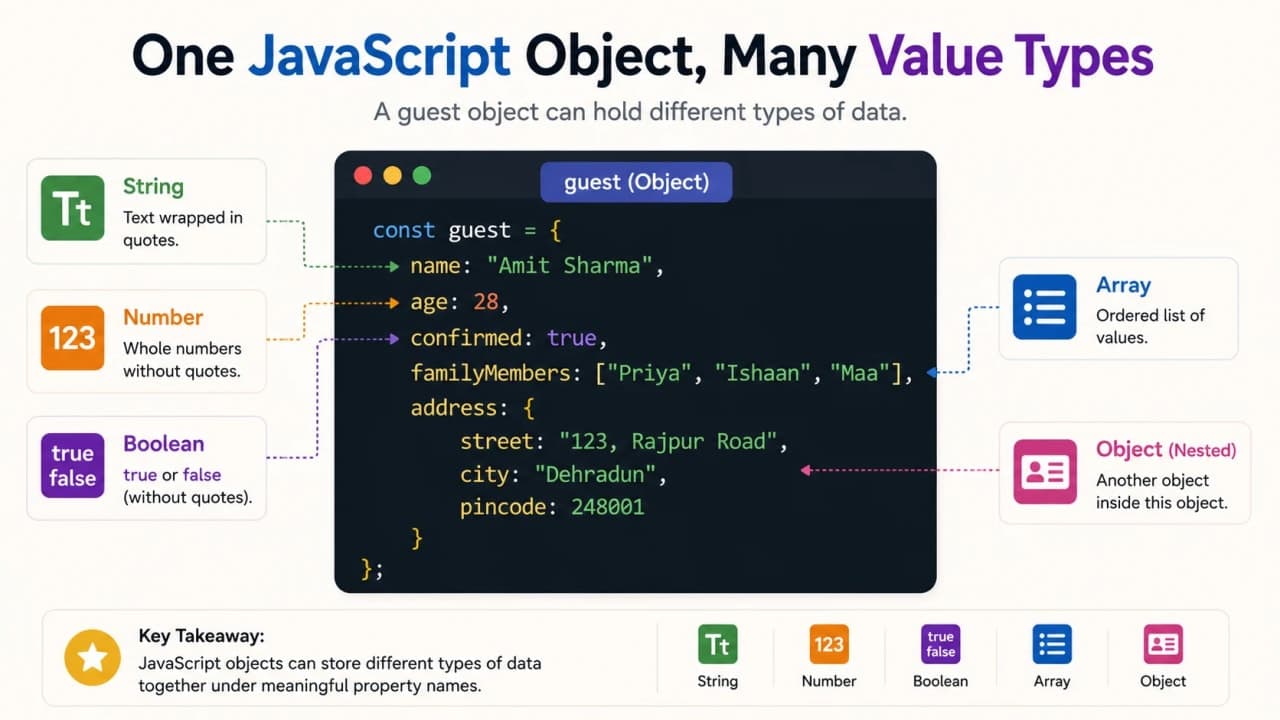
A JavaScript object is flexible. One detail can be text, another can be a number, another can be true or false, and another can even be a list.
const guest = {
  name: "Siddhant",
  age: 29,
  isConfirmed: true,
  familyMembers: ["Amit", "Riya"],
  address: {
    city: "Dehradun",
    state: "Uttarakhand"
  }
};
Here, name is a string, age is a number, isConfirmed is a boolean, familyMembers is an array, and address is another object.
If this part feels slightly new, the JavaScript data types article will help you connect the dots.
Nested Objects Explained Simply
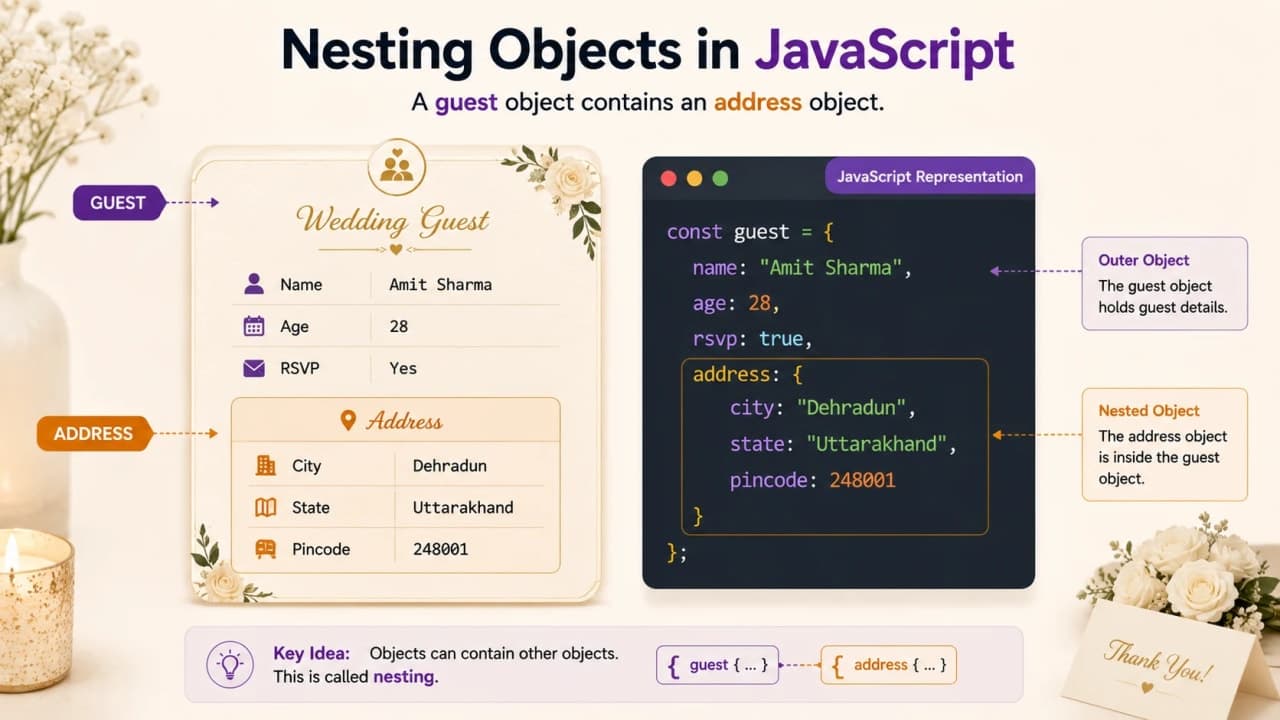
A nested object simply means an object inside another object. Nothing scary. Think of a guest card that has a separate address section inside it.
const guest = {
  name: "Siddhant",
  address: {
    city: "Dehradun",
    state: "Uttarakhand",
    pincode: 248001
  }
};

console.log(guest.address.city);
The guest has an address. The address is also an object. The city is inside address. So we read it as guest.address.city.
Arrays of Objects: Where Arrays and Objects Meet
This is the part where our previous lesson and this lesson shake hands.
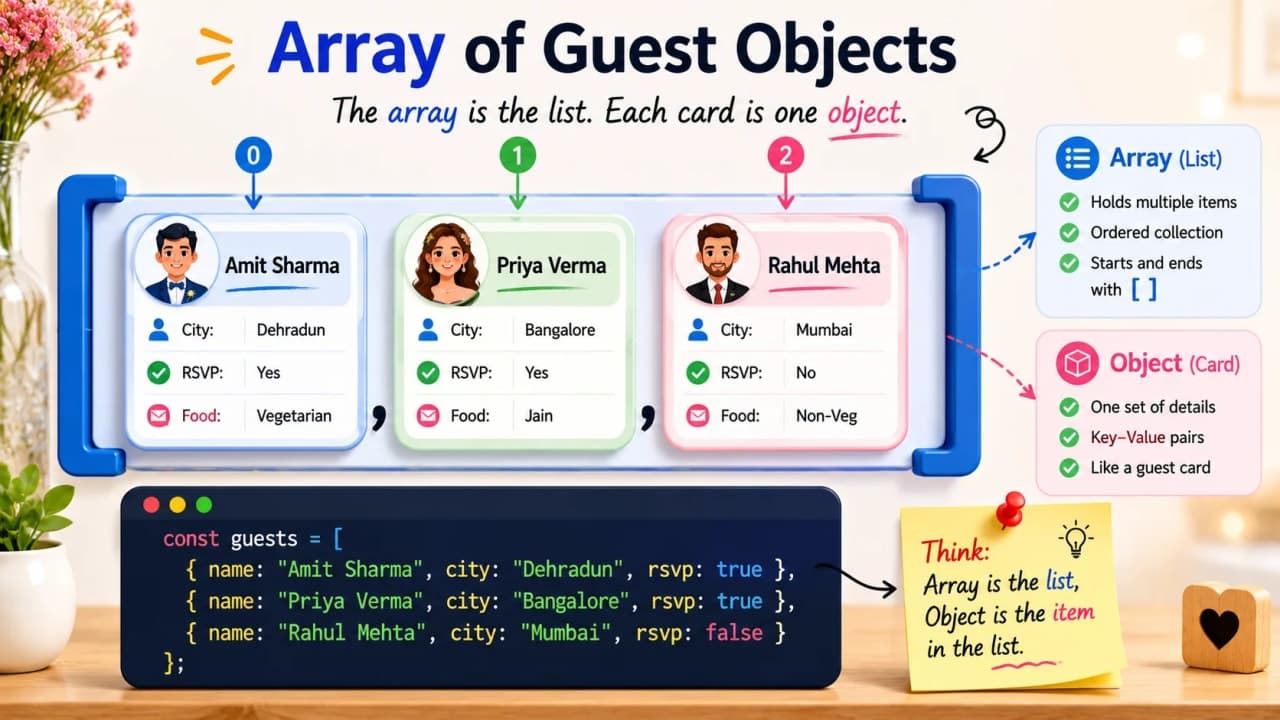
In the arrays article, the guest list was a list of names. But real planning needs every guest to have details. So instead of storing only strings, we store objects inside an array.
const guests = [
  {
    name: "Siddhant",
    city: "Dehradun",
    rsvp: "confirmed"
  },
  {
    name: "Amit",
    city: "Delhi",
    rsvp: "pending"
  },
  {
    name: "Riya",
    city: "Jaipur",
    rsvp: "confirmed"
  }
];
Here, guests is an array. Each item inside the array is an object. Each object represents one guest.
console.log(guests[0].name);The first part, guests[0], gives the first guest object. The second part, .name, reads the name inside that guest object.
Looping Through an Array of Objects
Once we have many guest objects inside an array, we usually want to check every guest one by one. This is where loops become useful again.
const guests = [
  { name: "Siddhant", rsvp: "confirmed" },
  { name: "Amit", rsvp: "pending" },
  { name: "Riya", rsvp: "confirmed" }
];

for (let i = 0; i < guests.length; i++) {
  console.log(guests[i].name, "-", guests[i].rsvp);
}
The loop starts with the first guest. Every round, guests[i] gives the current guest object. Then guests[i].name reads the name and guests[i].rsvp reads the RSVP status.
If loops still feel new, keep the JavaScript loops article open beside this one. Arrays, objects, and loops become much clearer when you practice them together.
Story checkpoint: Arrays help us keep a list. Objects help us describe one thing. An array of objects helps us keep a list of detailed things.
Object References Explained Without Making It Scary
This is one beginner confusion point that is worth understanding early, but we will keep it simple.
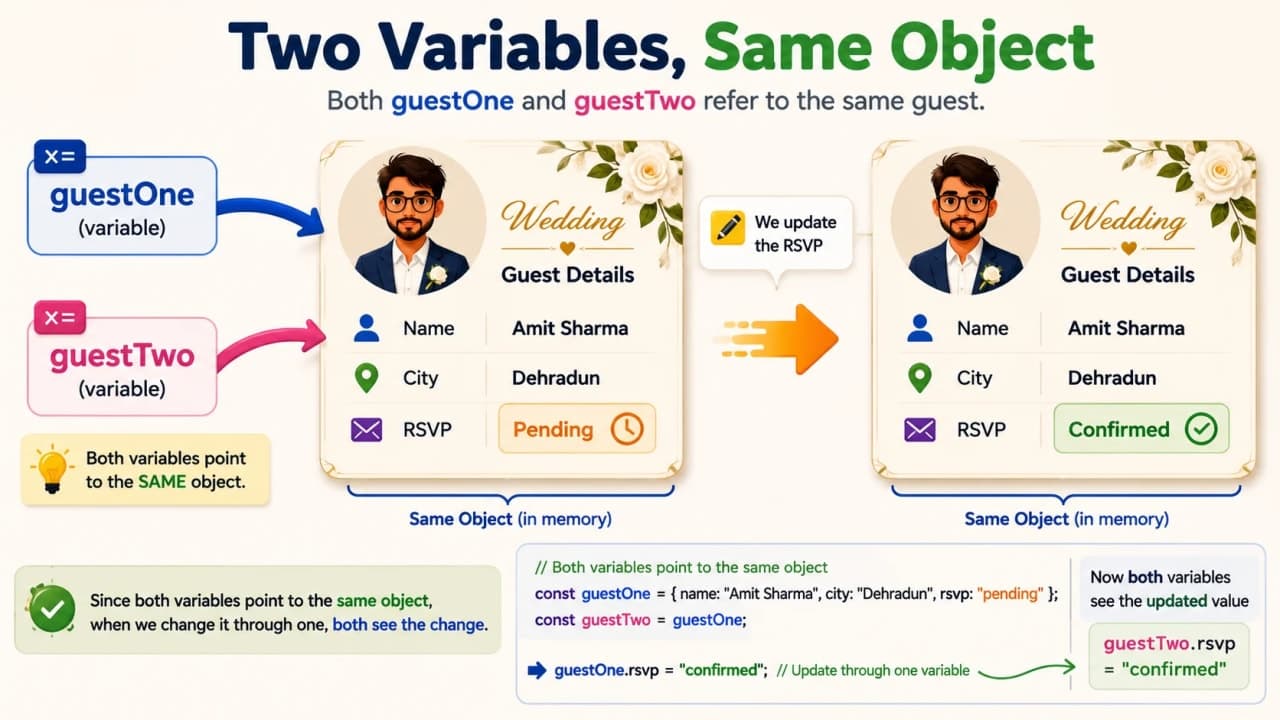
Imagine two people are holding the same guest card. If one person changes the RSVP status on that card, the other person will also see the changed status because it is the same card.
const guestOne = {
  name: "Siddhant",
  rsvp: "pending"
};

const guestTwo = guestOne;

guestTwo.rsvp = "confirmed";

console.log(guestOne.rsvp);
This prints confirmed. Why? Because guestOne and guestTwo are pointing to the same object.
You do not need to go deep into memory theory right now. Just remember this: objects are shared by reference. When two variables point to the same object, changing through one variable affects what the other variable sees.
Objects vs Arrays in Simple Words
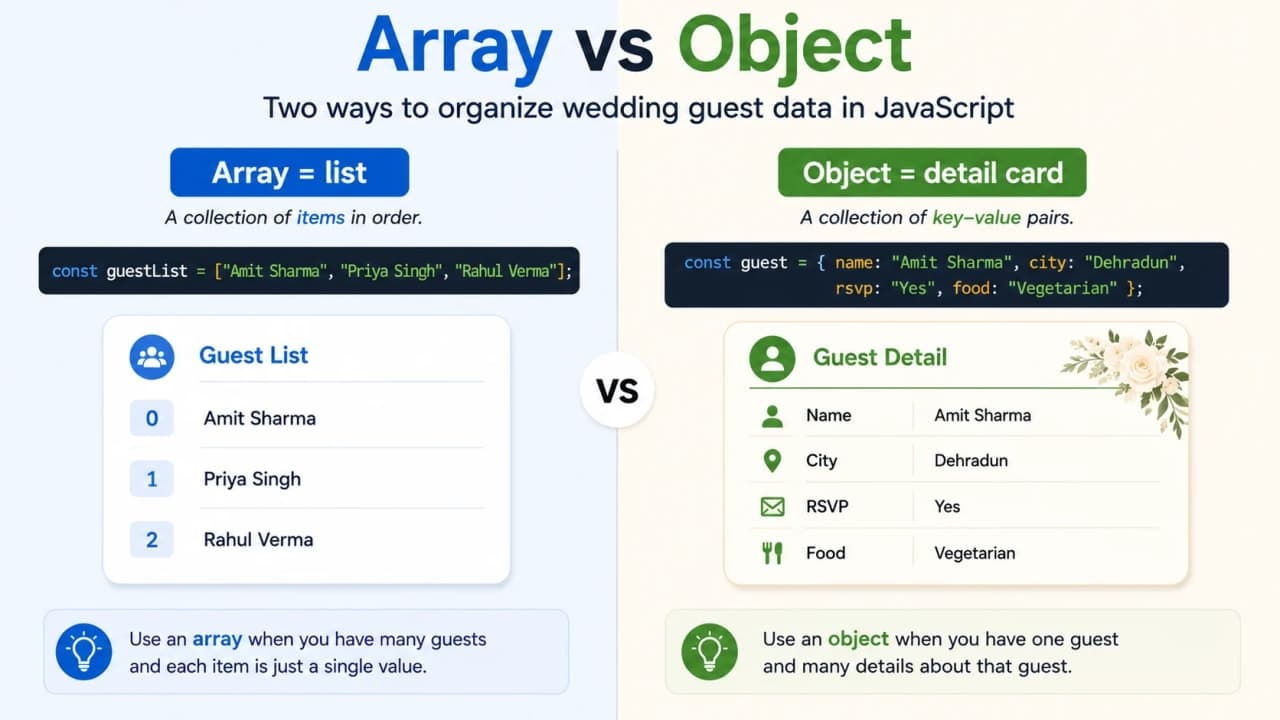
A lot of beginners ask: should I use an array or an object? The simple answer is this:
Use an array when you want a list of items.
Use an object when you want to describe one thing with named details.
const guestNames = ["Siddhant", "Amit", "Riya"];

const guest = {
  name: "Siddhant",
  city: "Dehradun",
  rsvp: "confirmed"
};
The first example is a list of names. The second example is one detail card.
A clean beginner rule is: array means list, object means detail card.
Common Beginner Mistakes with Objects
Objects are friendly once they click, but a few mistakes show up again and again when people are learning.
Forgetting commas between properties
Every property line usually needs a comma after it, except the last one.
const guest = {
  name: "Siddhant"
  city: "Dehradun"
};
The correct version is:
const guest = {
  name: "Siddhant",
  city: "Dehradun"
};
Using dot notation with dynamic property names
If the property name is stored in a variable, dot notation will not read that variable. Bracket notation is needed.
const guest = {
  city: "Dehradun"
};

const key = "city";

console.log(guest.key); // undefined
console.log(guest[key]); // Dehradun
Confusing arrays and objects
Arrays use index numbers. Objects use property names.
const guestNames = ["Siddhant", "Amit"];
console.log(guestNames[0]);

const guest = {
  name: "Siddhant"
};
console.log(guest.name);
Trying to read a property that does not exist
const guest = {
  name: "Siddhant"
};

console.log(guest.phone);
JavaScript returns undefined because the object exists, but the phone property does not.
Common mistake: If an object property does not exist, JavaScript usually returns undefined instead of magically guessing the value.
How to Think About Objects Like a Developer
Before writing an object, pause for a moment and ask what you are trying to describe. This one habit makes objects much easier.
What thing am I describing?
What details belong to it?
What names should I give those details?
Do I need one object or many objects?
If I need many, should I use an array of objects?
In our story, the thing is a guest. The details are name, city, RSVP status, and food preference. When we need many guests, we create an array of guest objects.
const weddingGuests = [
  {
    name: "Siddhant",
    city: "Dehradun",
    rsvp: "confirmed",
    food: "vegetarian"
  },
  {
    name: "Amit",
    city: "Delhi",
    rsvp: "pending",
    food: "regular"
  }
];

for (let i = 0; i < weddingGuests.length; i++) {
  const guest = weddingGuests[i];

  console.log(
    guest.name + " from " + guest.city + " has RSVP status: " + guest.rsvp
  );
}
This code keeps the guest list as an array. Each guest is an object. The loop visits every guest. Inside the loop, guest becomes the current guest card, so the final message is easier to read.
Quick Recap
Quick takeaway: An object stores related details together, uses key-value pairs, supports dot and bracket notation, can contain arrays or other objects, and is commonly used inside arrays when we need a list of detailed things.
Object stores related details together.
Object properties are written as key-value pairs.
Dot notation reads simple known properties.
Bracket notation helps when property names are dynamic.
Objects can contain arrays.
Objects can contain other objects.
Arrays of objects are very common in JavaScript.
Objects are shared by reference.
Final Thoughts
Objects may look like a small syntax topic at first, but they are one of the biggest building blocks in JavaScript. Once you understand objects, you can describe almost anything in code: a guest, a student, a product, a book, a user, an order, or a message.
Open the browser console and create a small guest object. Add values. Update values. Try a nested address. Put multiple guest objects inside an array. Break things a little and fix them again. That is honestly one of the best ways to learn JavaScript.
After objects, the next important topic is functions, because now that we know how to store data, we need to learn how to write reusable actions that work with that data.
Lock in the takeaway
JavaScript Dev Diaries


Frequently asked questions
What is an object in JavaScript?
An object is a way to keep related details together using key-value pairs, like a guest card with name, city, RSVP status, and food preference.
What is the difference between an array and an object?
An array is best for a list of items. An object is best for describing one thing with named details.
Can an object contain an array?
Yes. An object can contain an array when one detail has many values, such as family members attached to one guest.
Can an object contain another object?
Yes. This is called a nested object. For example, a guest object can contain an address object with city, state, and pincode.
Why does JavaScript return undefined for missing object properties?
If you ask for a property that does not exist, JavaScript returns undefined because it found the object but not that specific detail.
What is an array of objects?
An array of objects is a list where every item is an object, such as a full guest list where each guest has their own details.