
Listen to this article
Checking audio support
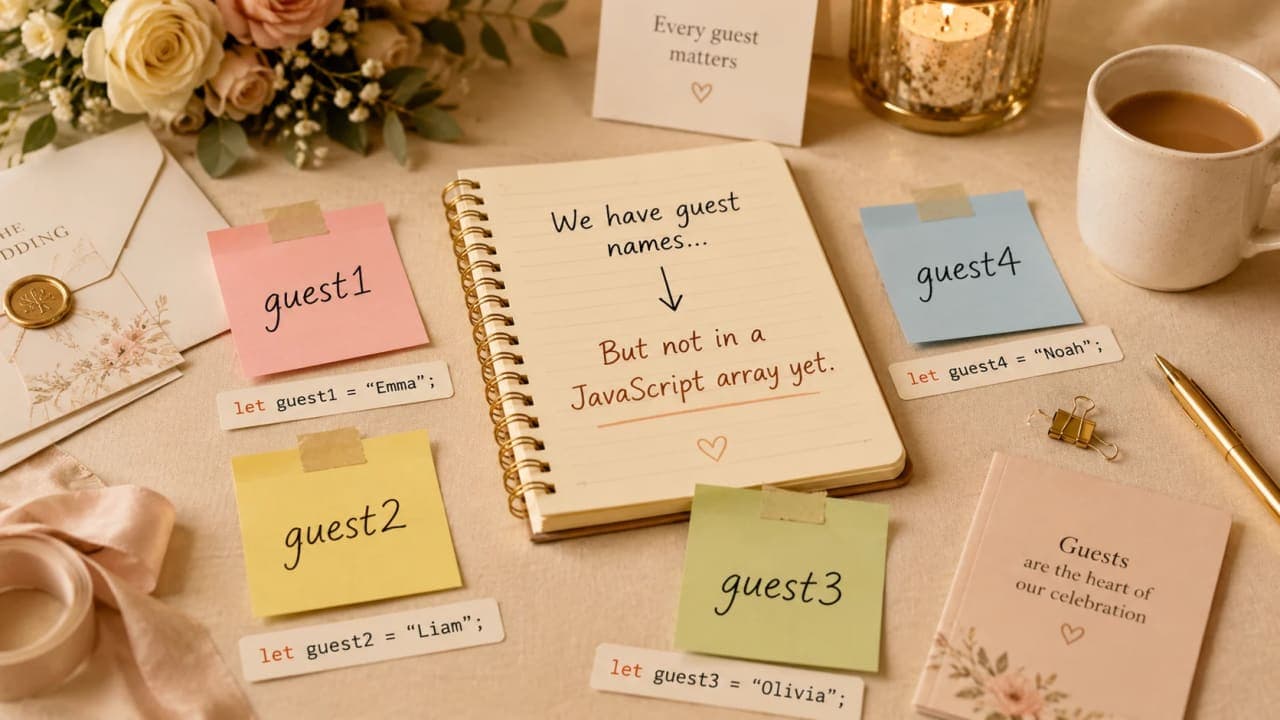
Imagine someone is preparing a wedding guest list. At first, it feels very simple. There are only three guests, so writing three names separately does not look like a problem.
const guest1 = "Amit";
const guest2 = "Priya";
const guest3 = "Rahul";
Clean enough, right? But then the real wedding planning begins. One family member calls. A friend asks if their spouse is included. Someone cancels. Someone's name is spelled wrong. Suddenly the small list starts behaving like a moving train.
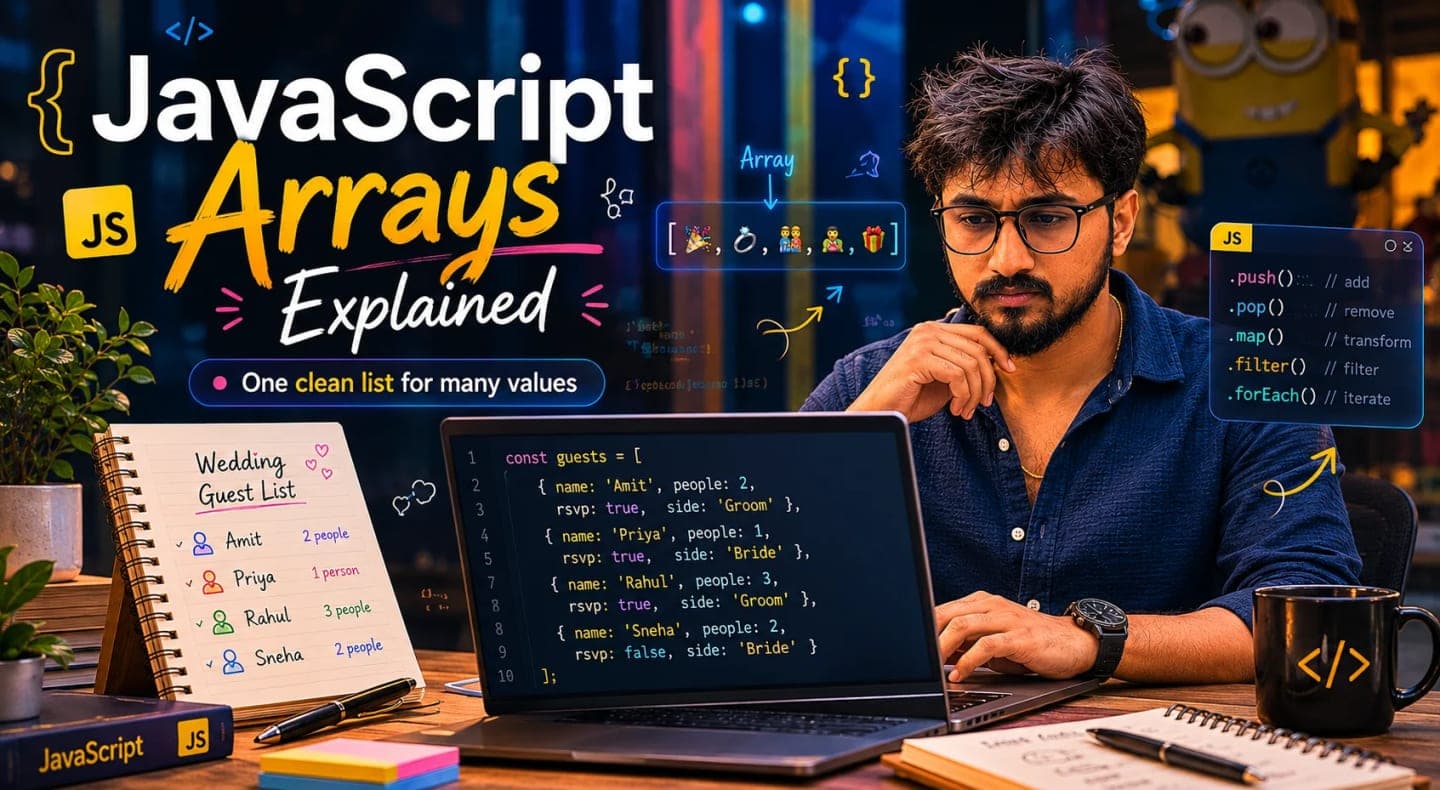
This is exactly where JavaScript arrays come into the picture. An array gives us one clean list for many related values, instead of forcing us to manage a pile of separate variables.
The Problem With Storing Everything Separately
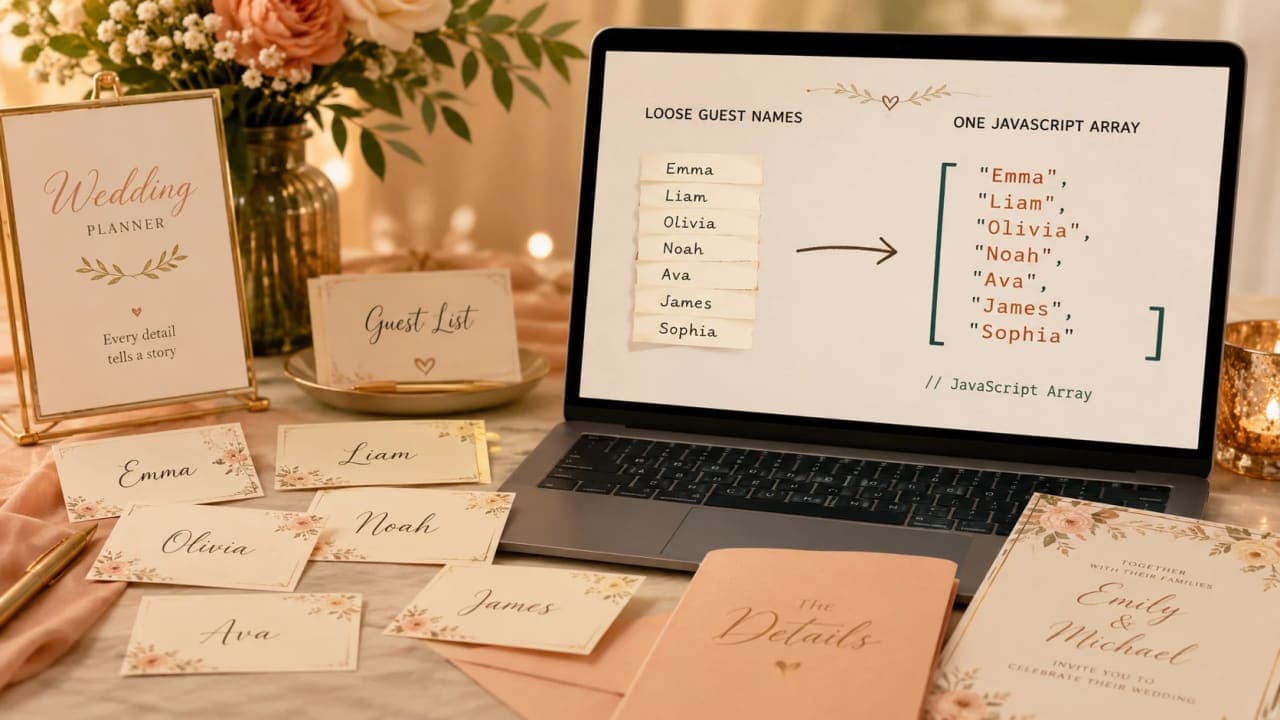
Let us stay with the wedding guest list. If the list grows just a little, separate variables already start feeling uncomfortable.
const guest1 = "Amit";
const guest2 = "Priya";
const guest3 = "Rahul";
const guest4 = "Sneha";
const guest5 = "Karan";
const guest6 = "Meera";
This code works, but it is not pleasant to manage. How do we count all guests quickly? How do we check every name one by one? How do we add one more guest without creating yet another variable?
Important note: When many values belong to the same idea, keeping them as separate variables usually makes the code harder to change later.
What Is an Array in JavaScript?
An array is simply a list. In our story, instead of keeping every guest name in a separate box, we keep all guest names inside one guest register.
const guestList = ["Amit", "Priya", "Rahul", "Sneha", "Karan", "Meera"];This is an array. The variable guestList is one list, and inside that list we have many names. The square brackets are JavaScript's way of saying, "these values belong together."
For a beginner, this is the first big mental shift: an array is not a strange advanced thing. It is just one variable holding many related values.

How JavaScript Finds Items Inside an Array
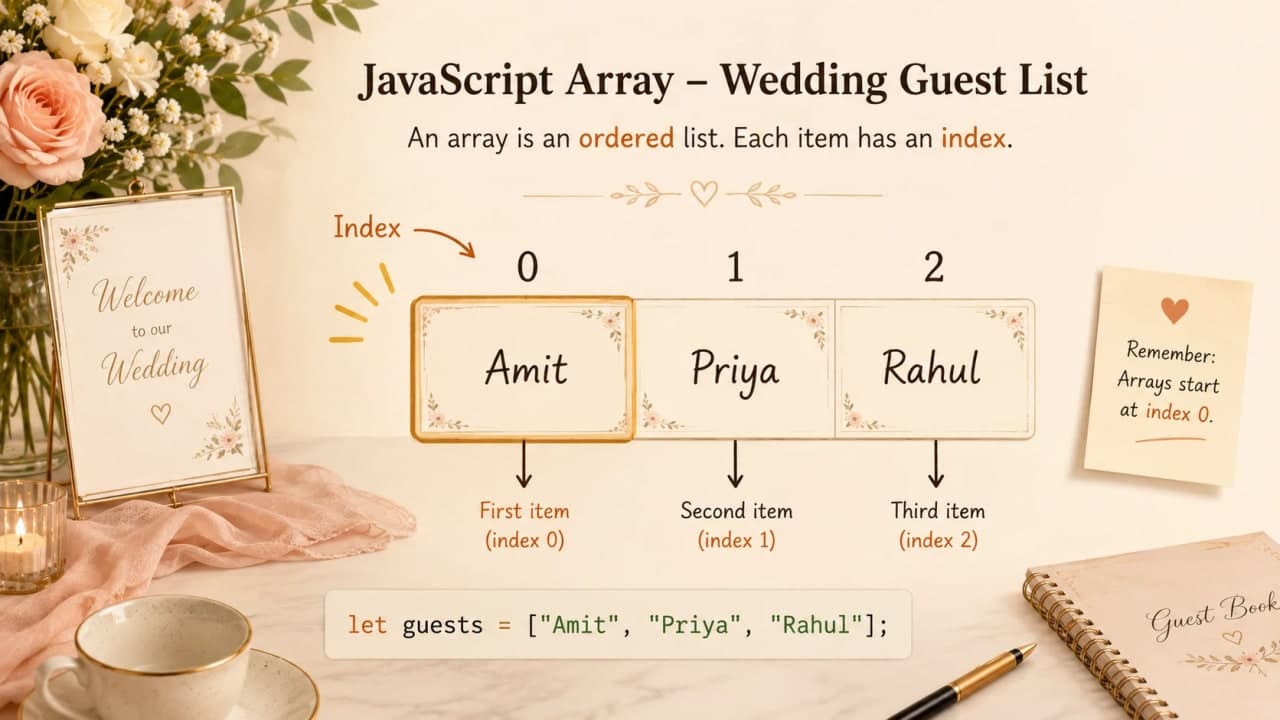
Now suppose we want to read the first guest from the list. JavaScript does not search by saying "first guest" in plain English. It uses position numbers. These position numbers are called indexes.
const guestList = ["Amit", "Priya", "Rahul"];

console.log(guestList[0]);
console.log(guestList[1]);
console.log(guestList[2]);
This prints Amit, Priya, and Rahul. The part inside square brackets tells JavaScript which position we want.
Beginner-friendly rule: JavaScript arrays start counting from 0, not 1.
Why Does the First Item Start at 0?
This feels odd in the beginning. We naturally say Amit is guest number 1. JavaScript says Amit is at index 0.
A simple way to remember it is this: the index is like the distance from the starting point. Amit is at the starting point, so the distance is 0. Priya is one step away, so the index is 1. Rahul is two steps away, so the index is 2.
const guestList = ["Amit", "Priya", "Rahul"];

console.log(guestList[0]); // Amit
console.log(guestList[1]); // Priya
console.log(guestList[2]); // Rahul
You do not need to overthink it. Just remember: first item means index 0. This one habit will save you from many small bugs later.
Counting Guests With length
The wedding list is now growing, so the next natural question is: how many guests are currently in the list? JavaScript arrays have a property called length.
const guestList = ["Amit", "Priya", "Rahul", "Sneha"];

console.log(guestList.length);
This prints 4 because there are four names in the array. Notice one important detail: length counts items, but index tells position.
const guestList = ["Amit", "Priya", "Rahul", "Sneha"];

const lastGuestIndex = guestList.length - 1;

console.log(guestList[lastGuestIndex]);
Here, length is 4, but the last index is 3 because the first guest starts at index 0. That is why we use length - 1 to get the last item.
Adding a New Guest With push
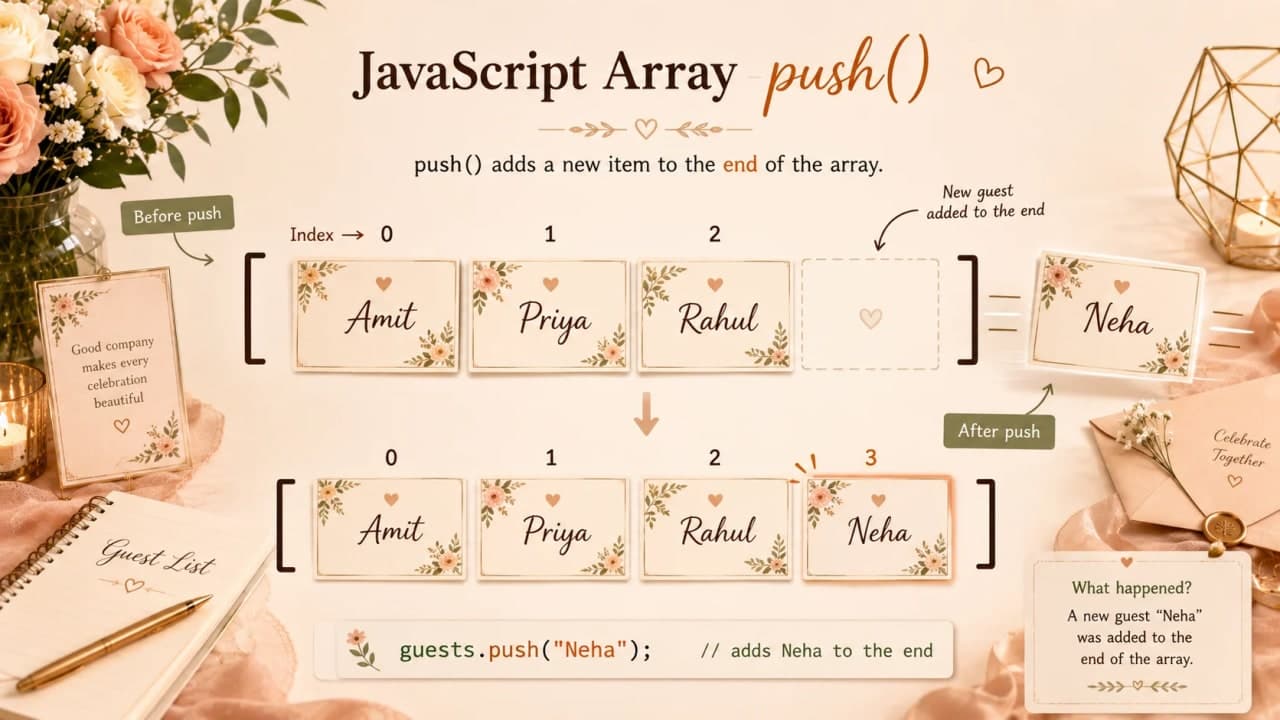
Now the story moves forward. Someone calls and says, "Please add Neha to the guest list." We do not want to rewrite the whole array. We just want to add one more name at the end.
const guestList = ["Amit", "Priya", "Rahul"];

guestList.push("Neha");

console.log(guestList);
The push method adds a new item to the end of the array. In plain words: push adds at the end.
How is it so far?
Vote with other readers
Removing the Last Guest With pop
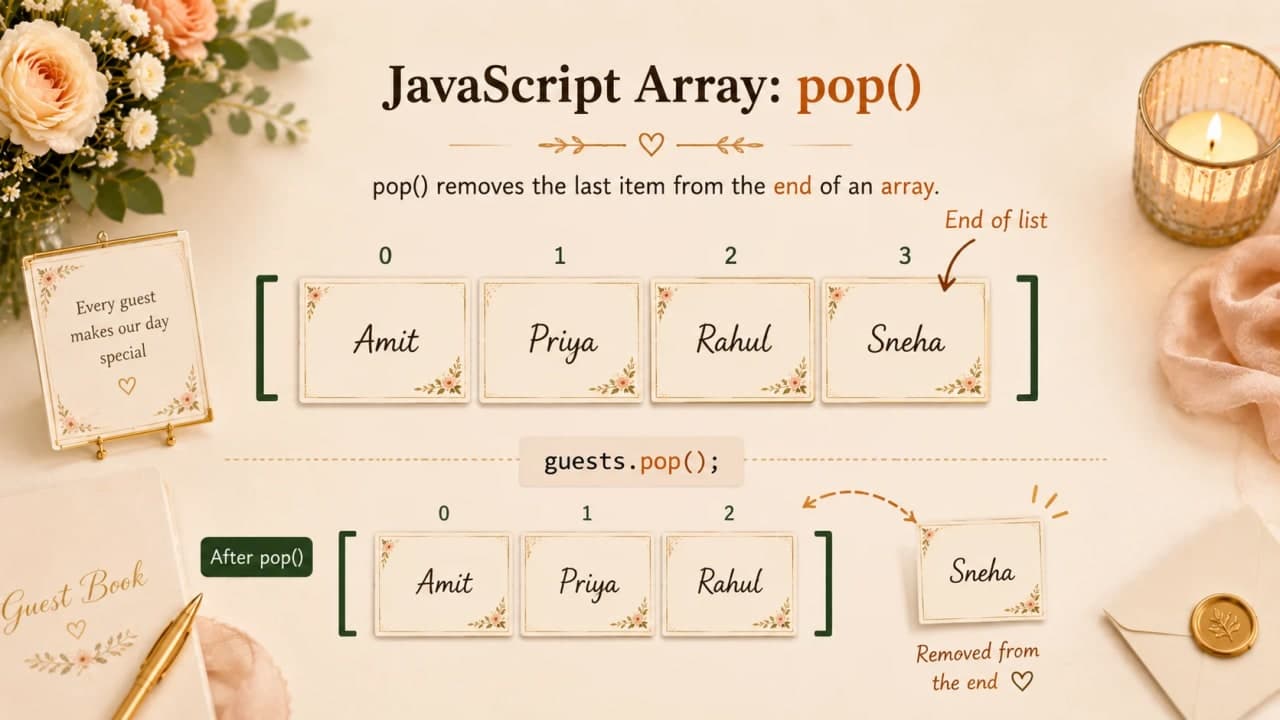
A little later, the last guest added says they cannot attend. We need to remove the last name from the list. For that, JavaScript gives us pop.
const guestList = ["Amit", "Priya", "Rahul", "Neha"];

guestList.pop();

console.log(guestList);
The pop method removes the last item from the array. It can also give us the removed item back.
const guestList = ["Amit", "Priya", "Rahul", "Neha"];

const removedGuest = guestList.pop();

console.log(removedGuest);
console.log(guestList);
Developer tip: push and pop are easiest to remember as end-of-list actions. push adds to the end, pop removes from the end.
Adding and Removing Guests From the Beginning
Sometimes the wedding planner wants a name at the very beginning. Maybe Grandfather should appear first in the guest register. For that, we use unshift. To remove the first item, we use shift.
const guestList = ["Amit", "Priya", "Rahul"];

guestList.unshift("Grandfather");

console.log(guestList);

guestList.shift();

console.log(guestList);
So the simple memory trick is: push/pop work at the end, unshift/shift work at the beginning.
Updating a Guest Name
Now someone notices a spelling mistake. Priya was typed as Piya. Since we know Priya is at index 1, we can update that exact position.
const guestList = ["Amit", "Piya", "Rahul"];

guestList[1] = "Priya";

console.log(guestList);
This is powerful, but it also needs care. If you use the wrong index, you will update the wrong person. Beginners often make this mistake because index numbers start from 0.
Checking Every Guest One by One
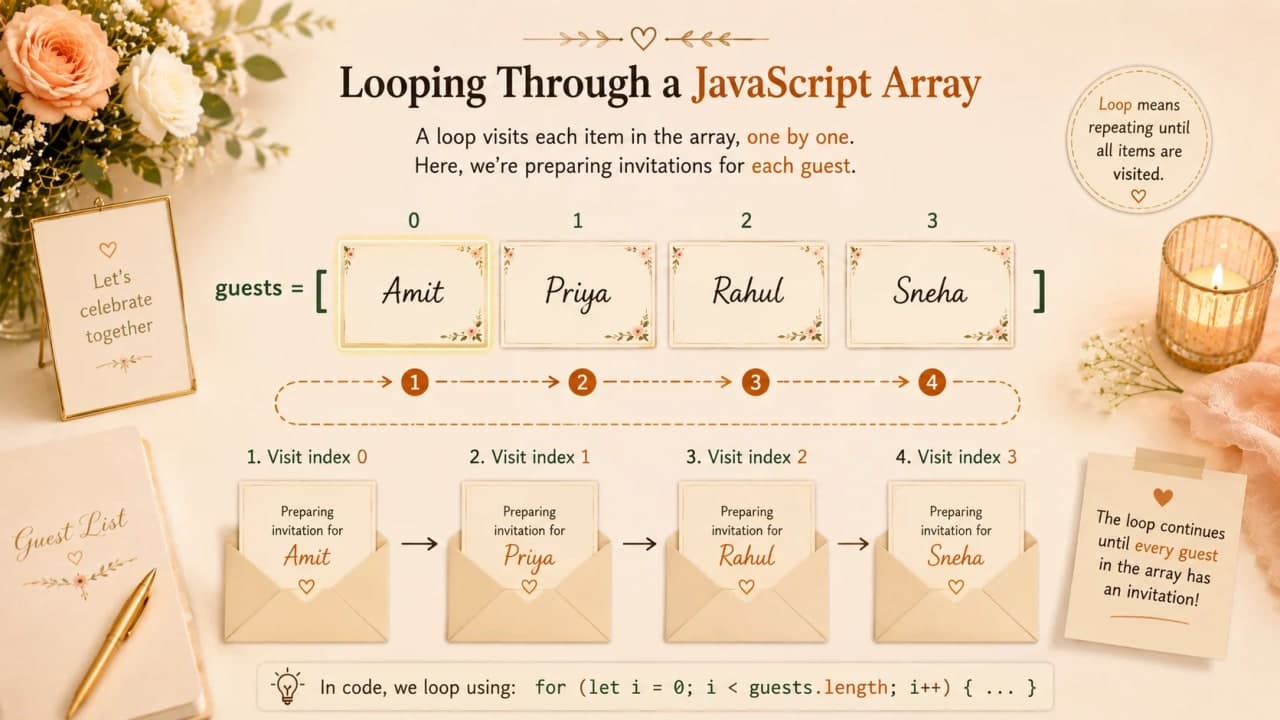
Before printing invitations, the wedding planner wants to read every guest name once. This is where arrays and loops become best friends.
const guestList = ["Amit", "Priya", "Rahul", "Sneha"];

for (let i = 0; i < guestList.length; i++) {
  console.log("Sending invitation to", guestList[i]);
}
The loop starts at 0 because the first array item is at index 0. It keeps running while i < guestList.length. Every round, guestList[i] gives the current guest.
Important note: Loops help us visit every item in an array without writing the same line again and again.
Checking If a Guest Is Already Invited
Now the list has become important enough that we should not add the same person twice. Before adding Priya again, we can ask the array: does this name already exist?
const guestList = ["Amit", "Priya", "Rahul"];

console.log(guestList.includes("Priya"));
console.log(guestList.includes("Neha"));
The includes method returns true or false. That makes it very useful before adding something new.
const guestList = ["Amit", "Priya", "Rahul"];
const newGuest = "Priya";

if (guestList.includes(newGuest)) {
  console.log(newGuest, "is already invited.");
} else {
  guestList.push(newGuest);
  console.log(newGuest, "has been added.");
}
This is already starting to look like real programming: we have a list, we check something, and then we decide what should happen next.
Finding the Position of a Guest
Sometimes knowing whether a guest exists is not enough. We may also want to know where the name is placed in the list. That is where indexOf helps.
const guestList = ["Amit", "Priya", "Rahul"];

const position = guestList.indexOf("Priya");

console.log(position);
This prints 1 because Priya is at index 1. If JavaScript cannot find the item, indexOf returns -1.
const guestList = ["Amit", "Priya", "Rahul"];

console.log(guestList.indexOf("Neha"));
Negative one is JavaScript's simple way of saying, "I searched the list, but I did not find it."
When Simple Names Are Not Enough
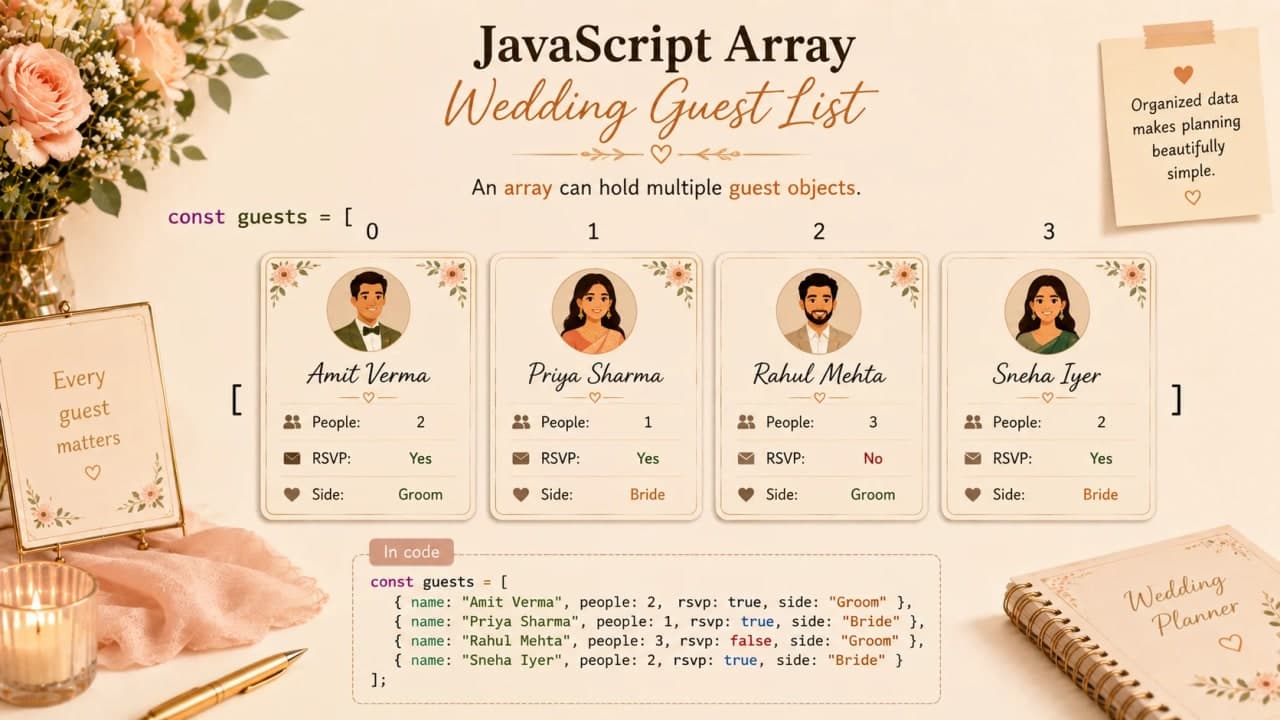
At first, only names were enough. But real wedding planning rarely stays that simple. Soon we need more details: which side of the family, how many people are coming, and whether the RSVP is confirmed.
const guestList = ["Amit", "Priya", "Rahul"];This array only stores names. But what if we need to know that Amit is from the groom's side and is bringing two people? Now each guest needs more than one piece of information.
const guestList = [
  {
    name: "Amit",
    side: "Groom",
    people: 2,
    rsvp: "confirmed"
  },
  {
    name: "Priya",
    side: "Bride",
    people: 1,
    rsvp: "pending"
  },
  {
    name: "Rahul",
    side: "Groom",
    people: 3,
    rsvp: "confirmed"
  }
];

console.log(guestList[0].name);
console.log(guestList[0].people);
Now every item in the array is an object. Do not worry if objects feel new. For now, just understand the idea: arrays can store detailed items, not only simple names.
Final Build-Up Code: A Smarter Guest List
Let us put the story together. We have a guest list with details, a new guest to add, a duplicate check, and a final count of total people attending.
const guestList = [
  {
    name: "Amit",
    people: 2,
    rsvp: "confirmed"
  },
  {
    name: "Priya",
    people: 1,
    rsvp: "pending"
  },
  {
    name: "Rahul",
    people: 3,
    rsvp: "confirmed"
  }
];

const newGuest = {
  name: "Neha",
  people: 2,
  rsvp: "confirmed"
};

let alreadyInvited = false;

for (let i = 0; i < guestList.length; i++) {
  if (guestList[i].name === newGuest.name) {
    alreadyInvited = true;
  }
}

if (alreadyInvited) {
  console.log(newGuest.name, "is already invited.");
} else {
  guestList.push(newGuest);
  console.log(newGuest.name, "has been added to the guest list.");
}

let totalPeople = 0;

for (let i = 0; i < guestList.length; i++) {
  totalPeople = totalPeople + guestList[i].people;
  console.log("Invitation ready for", guestList[i].name);
}

console.log("Total guests attending:", totalPeople);
This may look bigger than the first example, but the story is still simple. The array stores detailed guests. The first loop checks if Neha is already invited. If she is not already there, push adds her. The second loop counts how many people are coming and prints each invitation message.
This is how code grows in real life: we start with a tiny need, then improve the structure as the problem becomes more real.
Common Beginner Mistakes With Arrays
Most array mistakes are small, but they can feel confusing when you are new. The good news is that they usually come from the same few places.
Thinking the first item is at index 1 instead of index 0.
Confusing length with the last index.
Using the wrong index and updating the wrong guest.
Forgetting that push adds at the end.
Forgetting that pop removes from the end.
Trying to store detailed guest information as plain strings forever.
Checking every item manually instead of using a loop.
If you remember only one thing from this section, remember this: arrays are simple, but index numbers need attention.
How to Think About Arrays
Before creating an array, ask yourself a few simple questions. Do I have many related values? Do these values belong together? Will I need to count them, add to them, remove from them, or check each one?
If the answer is yes, an array is probably the right tool. In our wedding story, all guest names belong together, the list changes often, and we need to go through it one by one. That is a perfect use case for an array.
Final Thoughts
Arrays are not just a JavaScript topic. They are one of the first steps toward thinking like a programmer. At first, arrays may look like square brackets and commas. But after the wedding guest list story, they should feel more familiar: one clean list for many related things.
Open your browser console and create a small guest list. Add names. Remove names. Check names. Loop through the list. Make mistakes and fix them. That is how arrays become clear.
In the next article, we will talk about JavaScript objects, because once every guest needs more details than just a name, objects become the next important concept.
Lock in the takeaway
JavaScript Dev Diaries
Frequently asked questions
What is an array in JavaScript?
An array is a list that stores many related values inside one variable, such as all names in a wedding guest list.
Why do JavaScript arrays start at index 0?
JavaScript counts array positions from 0, so the first item is at index 0, the second item is at index 1, and so on.
What does array length mean?
Array length tells how many items are inside the array. The last index is usually length minus one.
What is the difference between push and pop?
push adds an item to the end of an array, while pop removes the last item from the array.
Why do loops work well with arrays?
Loops help you go through every item in an array one by one without repeating the same code manually.